
Selfie Liveness
Flow Version - v1.2
Setup Sdk
Launch Flow:
let config = DigitalIdentitySelfieLivenessConfig(
                         baseUrl: <DigitalIdentity BE Base Url>,
                         token: <DigitalIdentity Token>,
                         correlationId: <Coorrelation Id>,
                         language: <App Language>,
                         theme: <Selfie Liveness flow theme>)

DigitalIdentitySdk.shared.launchSelfieLiveness(
                        config: config,
                        viewcontroller: <viewcontroller instance>,
                        helpCenter: DigitalIdentityHelpCenterDelegate)
{ result in

}
Method name: launchSelfieLiveness
launchSelfieLivenessParameters:
- config: Instance of
DigitalIdentitySelfieLivenessConfig- baseUrl: DigitalIdentity BE url received from the DigitalIdentity team
- token: DigitalIdentity token received from the DigitalIdentity authentication API
- correlationId: Unique identifier for the Selfie Liveness flow.
- language: App language.
- theme: The optional
DigitalIdentitySelfieFlowThemeclass parameter allows for theme customization of the Selfie Liveness flow screens. To implement custom theme values, please refer to the theme customization section for more information.
- viewcontroller: View controller instance to present the Selfie Liveness flow-related screens
- helpCenter: An instance of a class that conforms to DigitalIdentityHelpCenterDelegate delegate. Help center option-related actions will be triggered via this delegate. Refer to this section for more details.
- completion: Selfie Liveness flow completion status block. In completion, we will get an instance of the
DigitalIdentityDocumentVerificationResultclass. It has the following properties- correlationId: Correlation Id value which passed in the
launchSelfieLivenessmethod call. - status: Selfie Liveness flow completion status. Its
DigitalIdentityDocumentVerificationResultStatusenum type and has following values- completed: Selfie Liveness is done
- error: Error in Selfie Liveness verification
- notCompleted: User dropped from Selfie Liveness flow screens
- submissionId: Optional value. Reference number for Selfie Liveness documents. We will get this value when user made the submission
- extra: Optional value and type of DigitalIdentityResultExtraData class. Sdk will send this property when the user drops from the flow. It has the following properties
- errorCode: It's a DigitalIdentityFlowErrorCode enum type and it has following values
- CAMERA - User dropped the flow from the camera error bottom sheet
- PERMISSION - User denied camera permission
- NETWORK - User dropped the flow from the api error bottom sheet
- USER_CANCELLED - User dismissed the flow
- VERIFICATION - Document verification has been completed with errors
- errorMessage: More details about the error
- errorCode: It's a DigitalIdentityFlowErrorCode enum type and it has following values
- correlationId: Correlation Id value which passed in the
Theming Reference
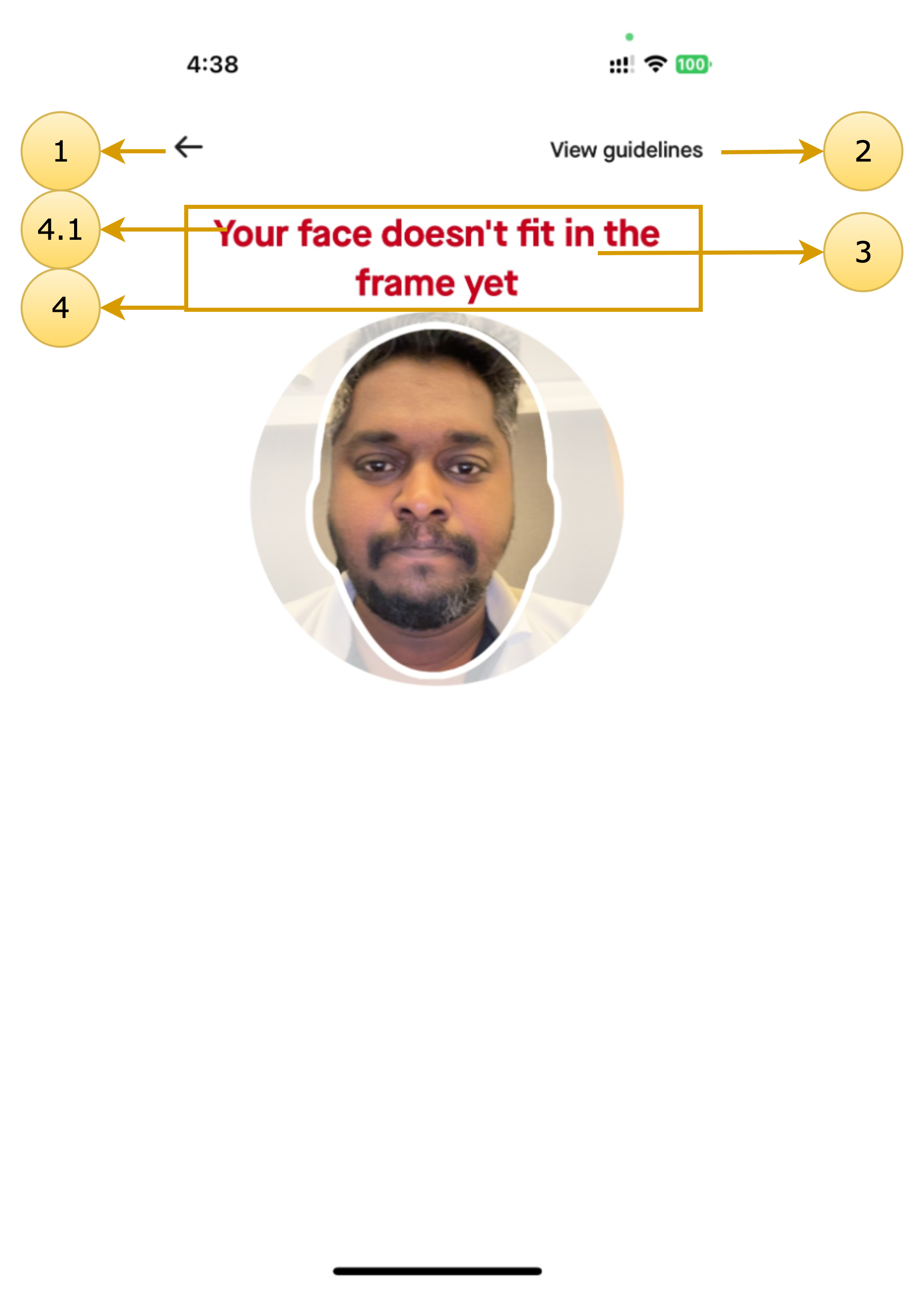
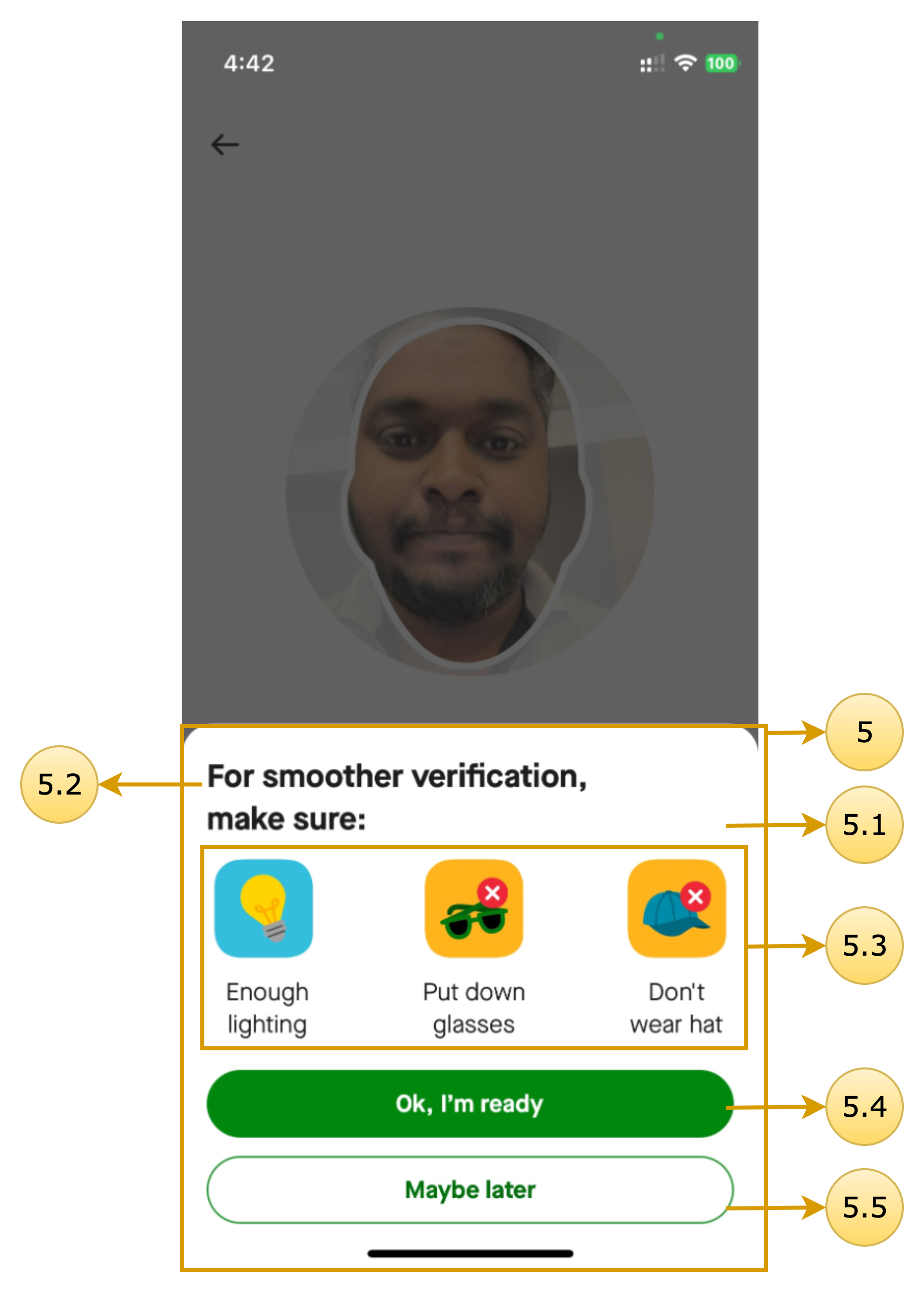
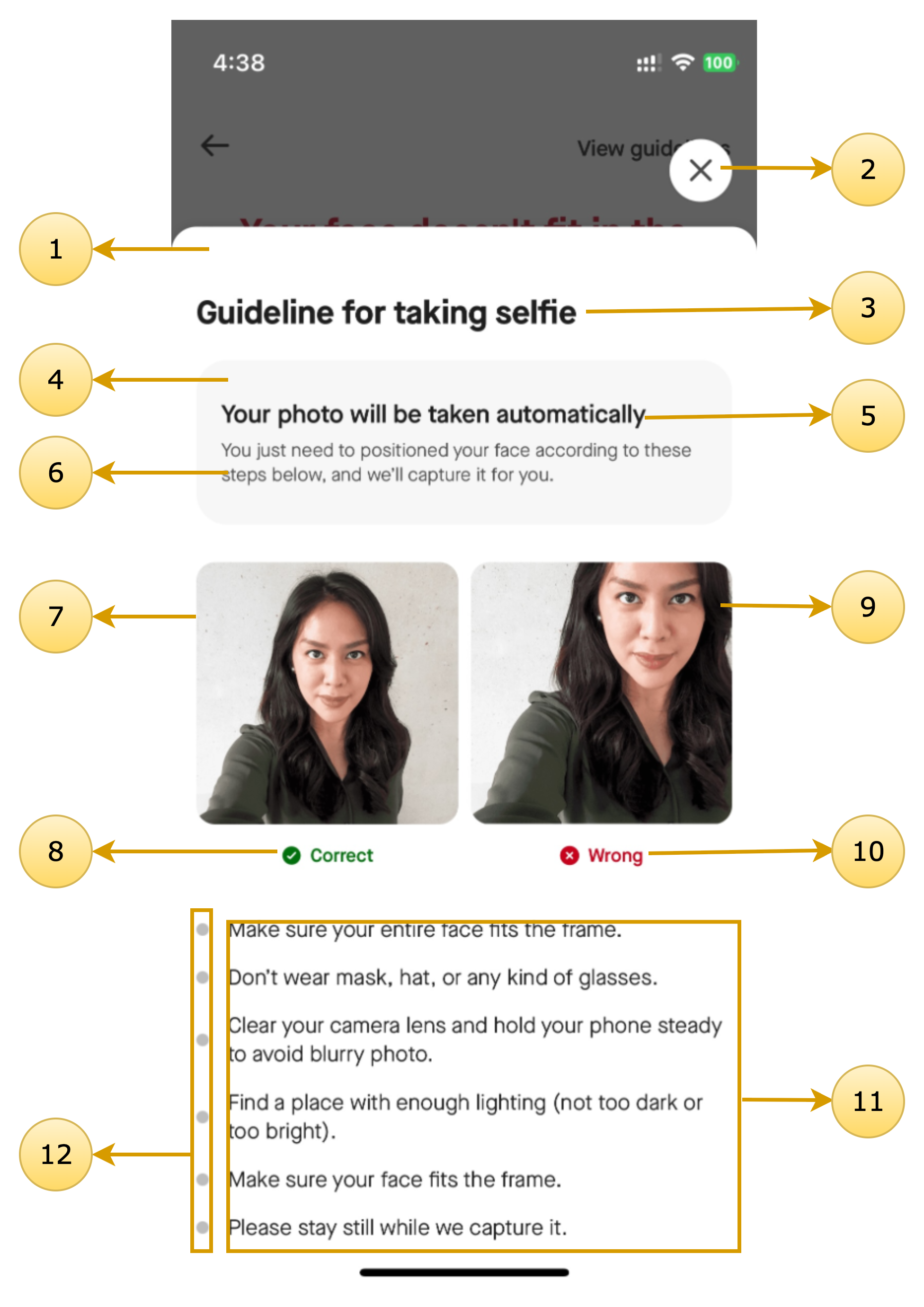
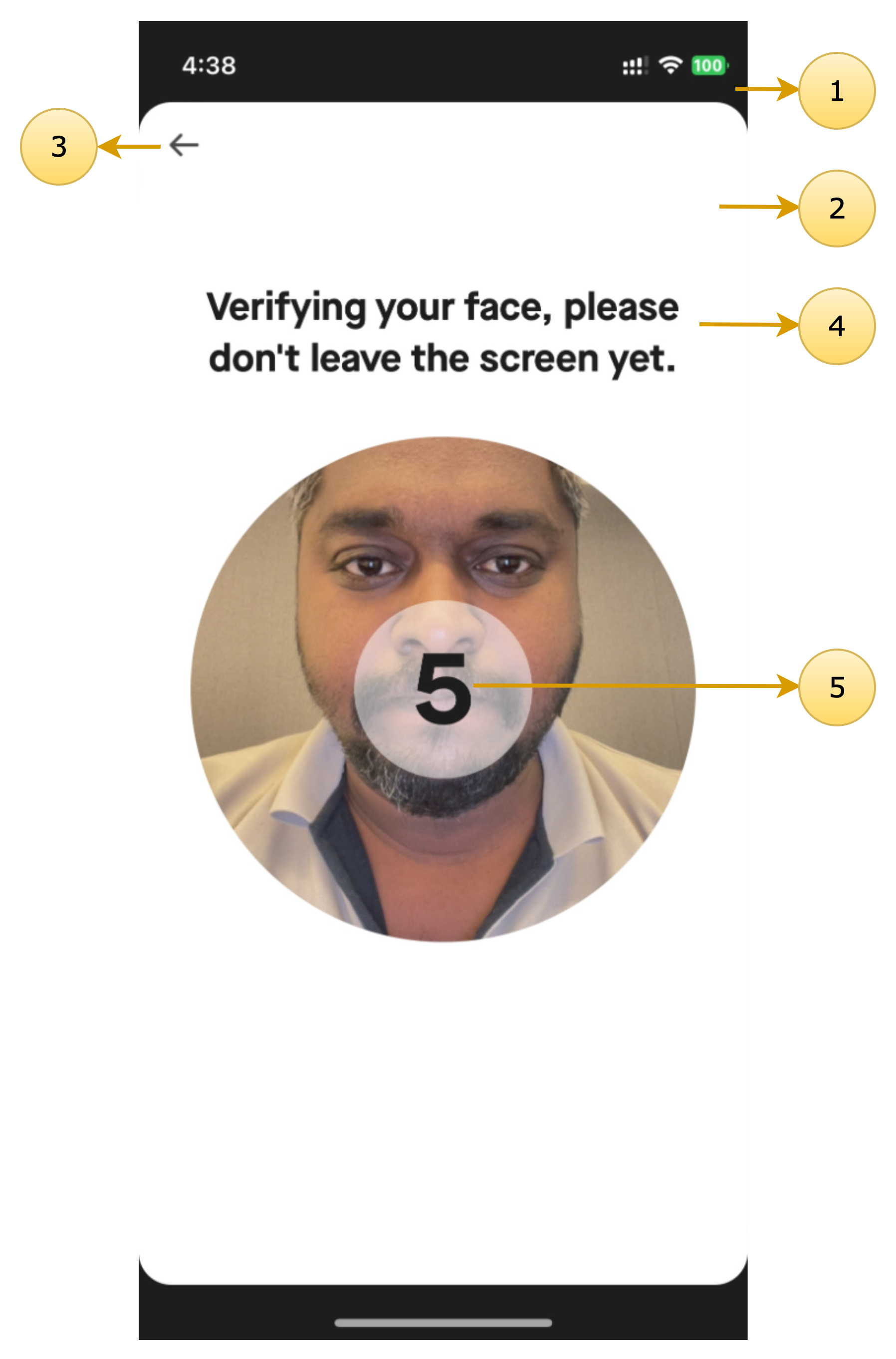
The following screens can be customized using the SDK’s theming system.
Selfie Camera
Class name: DigitalIdentitySelfieCameraScreenTheme
| Screen Annotations | Mapped Properties |
|---|---|
  |
|
Selfie Guideline
Class name: DigitalIdentityGuidelineScreenTheme
| Screen Annotations | Mapped Properties |
|---|---|
 |
|
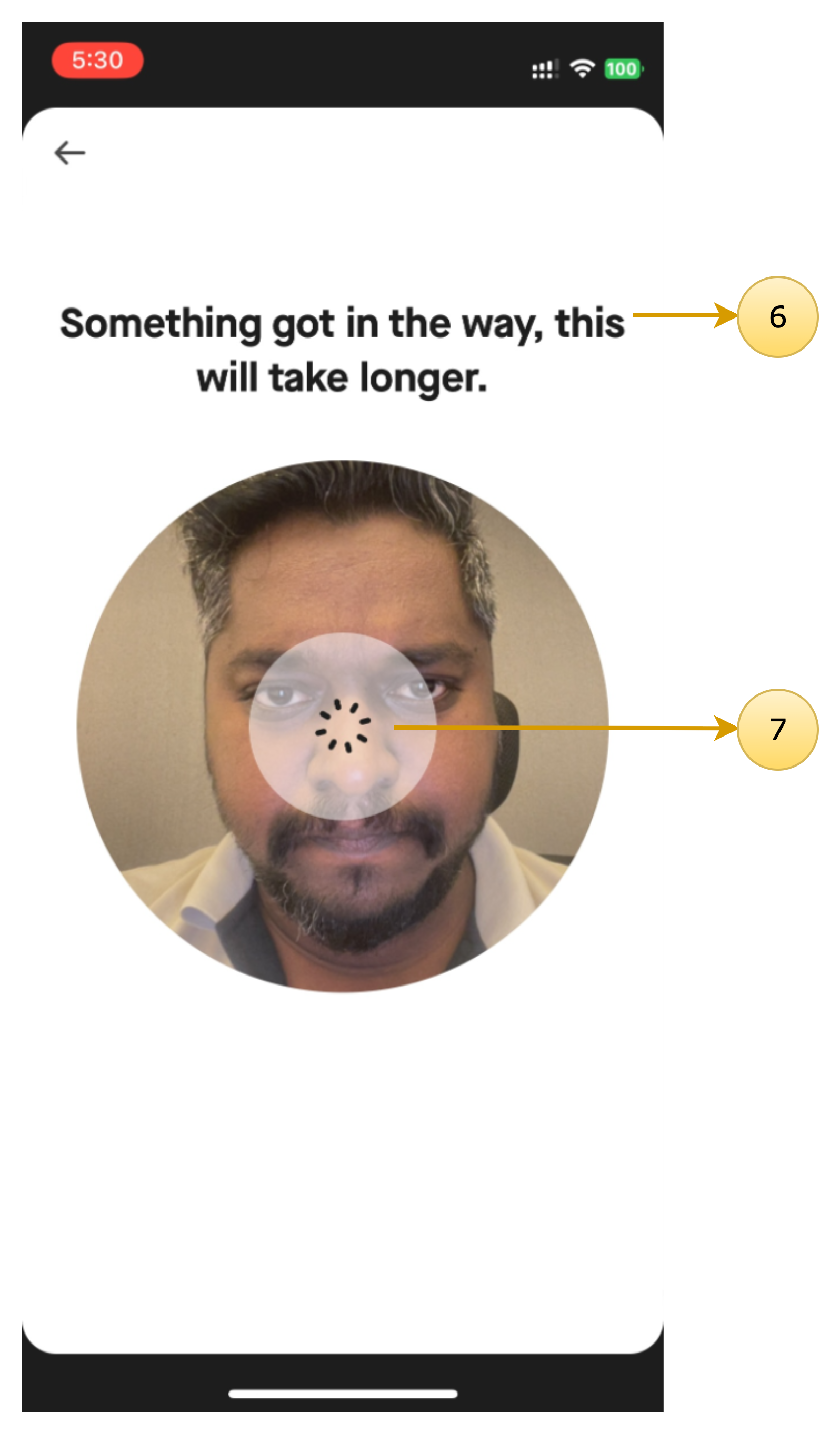
Document Verification Inprogress & Document Verification time exceed
Class name: DigitalIdentityDocumentVerificationScreenTheme
| Screen Annotations | Mapped Properties |
|---|---|
  |
|
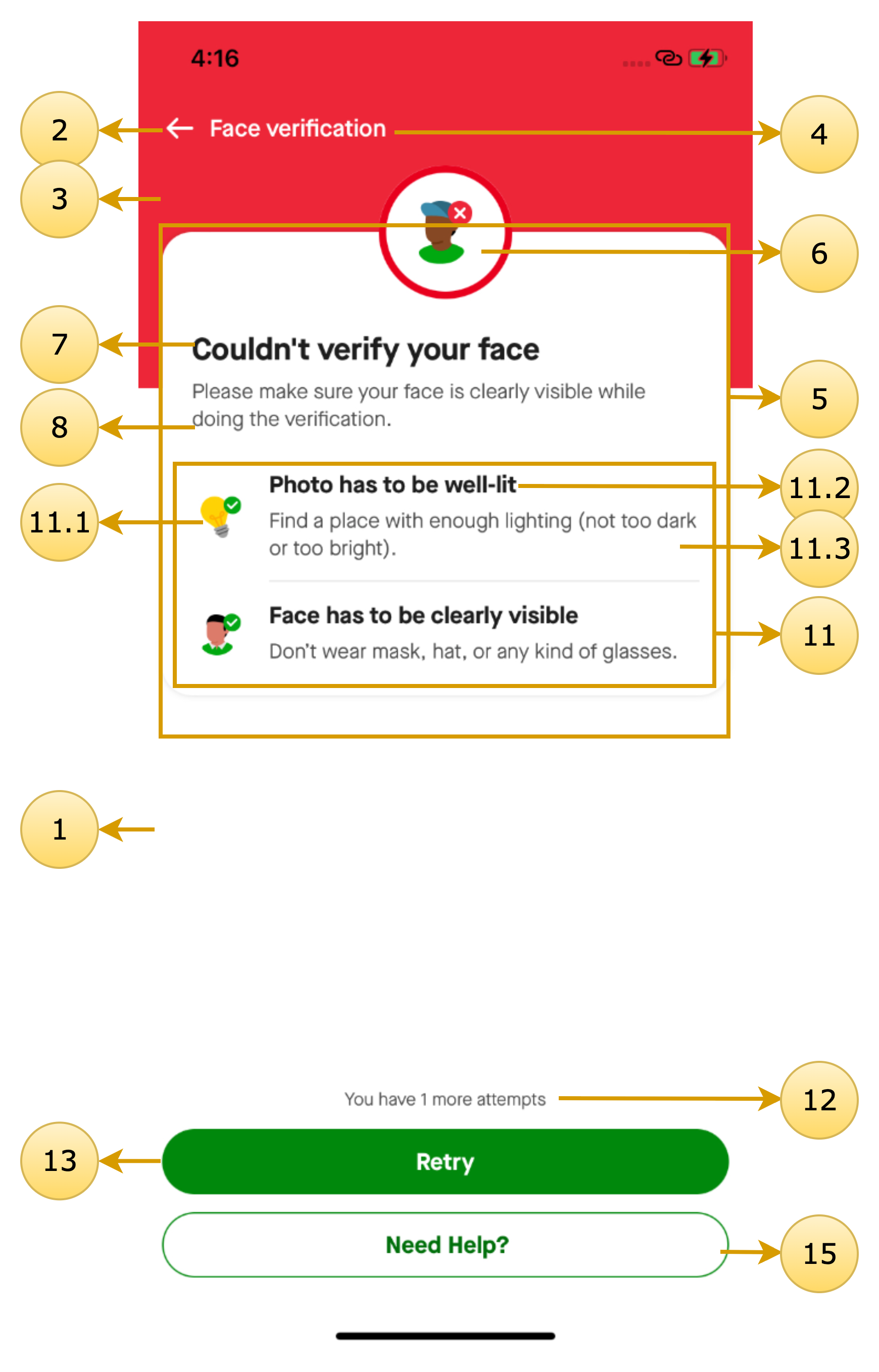
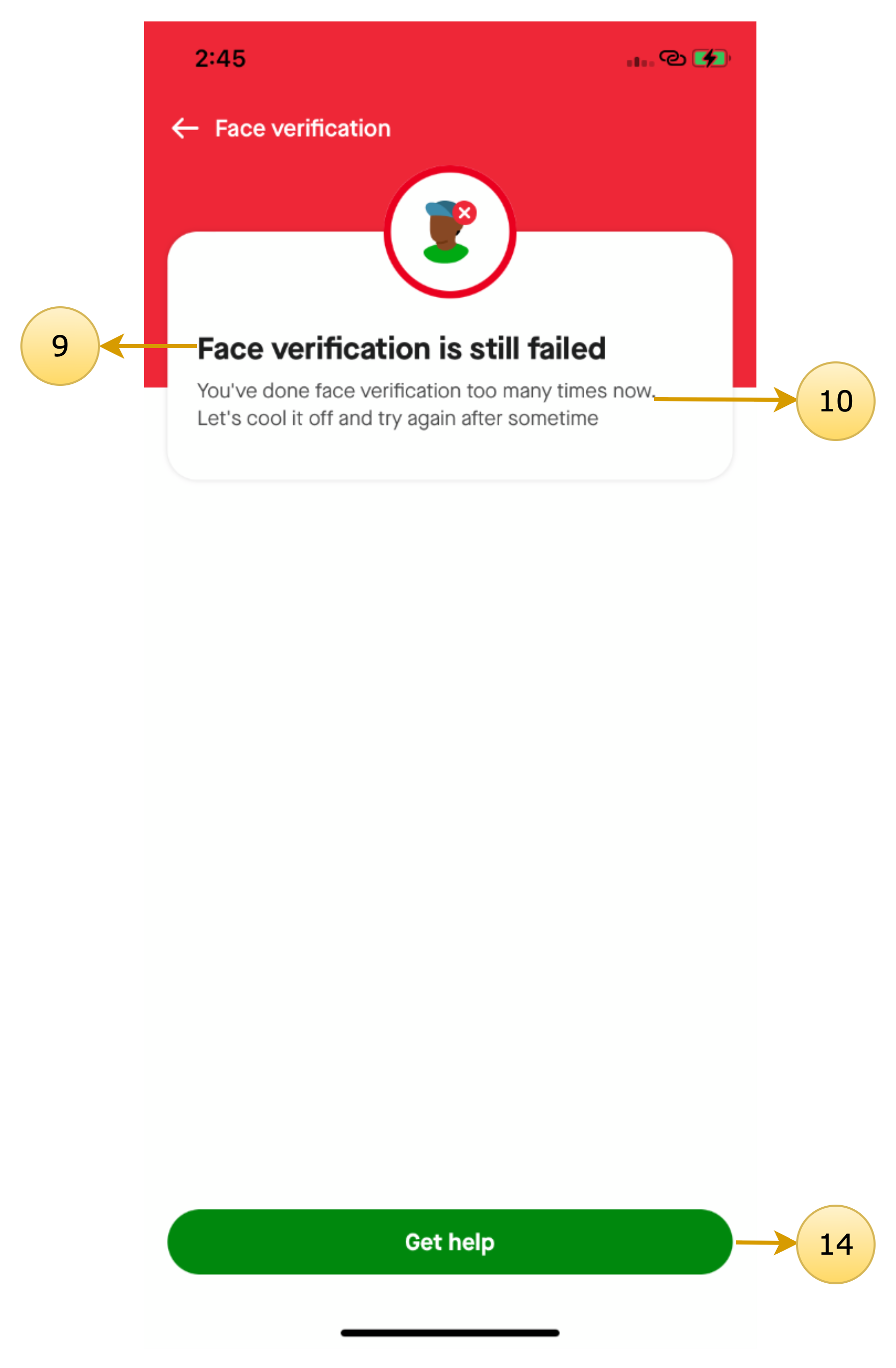
Verification Failed & Verification Limit Exhausted
Class name: DigitalIdentityDocumentVerificationFailedScreenTheme
| Screen Annotations | Mapped Properties |
|---|---|
  |
|
Common Dialogs
Updated 7 months ago
Documentations
Did this page help you?