
KTP Scan
Flow Version - v1.2
Setup Sdk
Launch Flow
let config = DigitalIdentityKTPScanConfig(
    baseUrl: <DigitalIdentity BE Base Url>,
    token: <DigitalIdentity Token>,
    correlationId: <Coorrelation Id>,
    language: <App Language>,
    theme: <KTP Scan flow theme>
)

DigitalIdentitySdk.shared.launchKTPScan(
    config: config,
    viewcontroller: <viewcontroller instance>
) { result in
    // Completion handler
}
Method name: launchKTPScan
Parameters:
- config: Instance of
DigitalIdentityKTPScanConfig- baseUrl: DigitalIdentity BE URL received from the DigitalIdentity team.
- token: DigitalIdentity token received from the DigitalIdentity authentication API.
- correlationId: Unique identifier for the KTP Scan flow.
- language: App language.
- theme: The optional
DigitalIdentityKTPScanFlowThemeclass instance parameter allows for theme customization of the KTP Scan flows screen. Detailed information can be found in the theme customization section.
- viewcontroller: An instance of the view controller used to display the KTP Scan flow screens.
- completion: KTP Scan flow completion status block. In completion, you will get an instance of the
DigitalIdentityDocumentVerificationResultclass. It has the following properties:- correlationId: Correlation Id value which was passed in the
launchKTPScanmethod call. - status: KTP Scan flow completion status. Its
DigitalIdentityDocumentVerificationResultStatusenum type and has the following values:- completed: KTP Scan is done.
- error: Error in KTP Scan verification.
- notCompleted: User dropped from KTP Scan flow screens.
- submissionId: Optional value. A reference number associated with the KTP Scan documents.
- extra: Optional value and type of DigitalIdentityResultExtraData class. Sdk will send this property when the user drops from the flow. It has the following properties
- errorCode: It's a DigitalIdentityFlowErrorCode enum type and it has following values
- CAMERA - User dropped the flow from the camera error bottom sheet
- PERMISSION - User denied camera permission
- NETWORK - User dropped the flow from the api error bottom sheet
- USER_CANCELLED - User dismissed the flow
- VERIFICATION - Document verification has been completed with errors
- errorMessage: More details about the error
- errorCode: It's a DigitalIdentityFlowErrorCode enum type and it has following values
- correlationId: Correlation Id value which was passed in the
Theming Reference
The following screens can be customized using the SDK’s theming system.
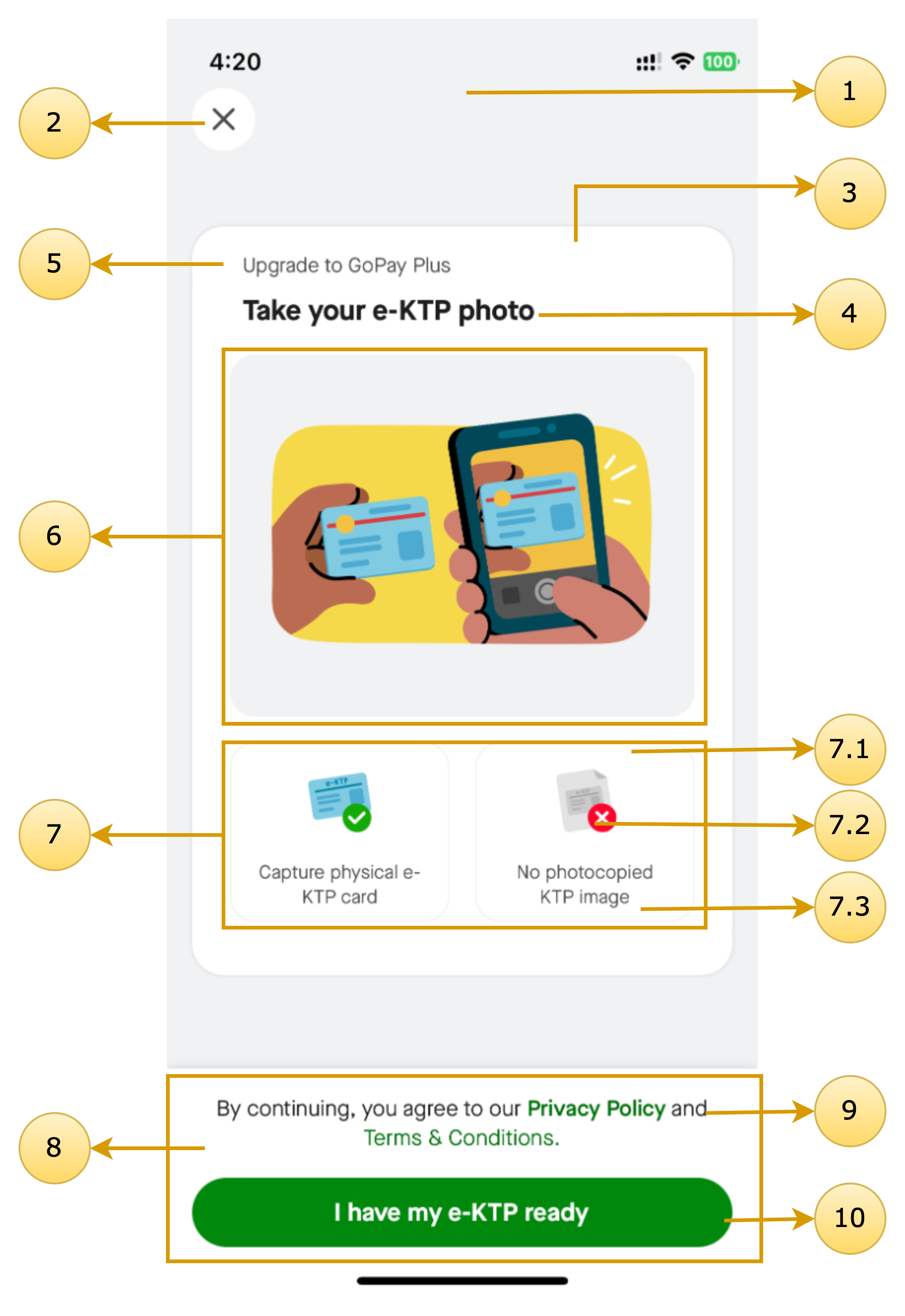
KTP Onboarding
Class name: DigitalIdentityOnboardingScreenTheme
| Screen Annotations | Mapped Properties |
|---|---|
 |
|
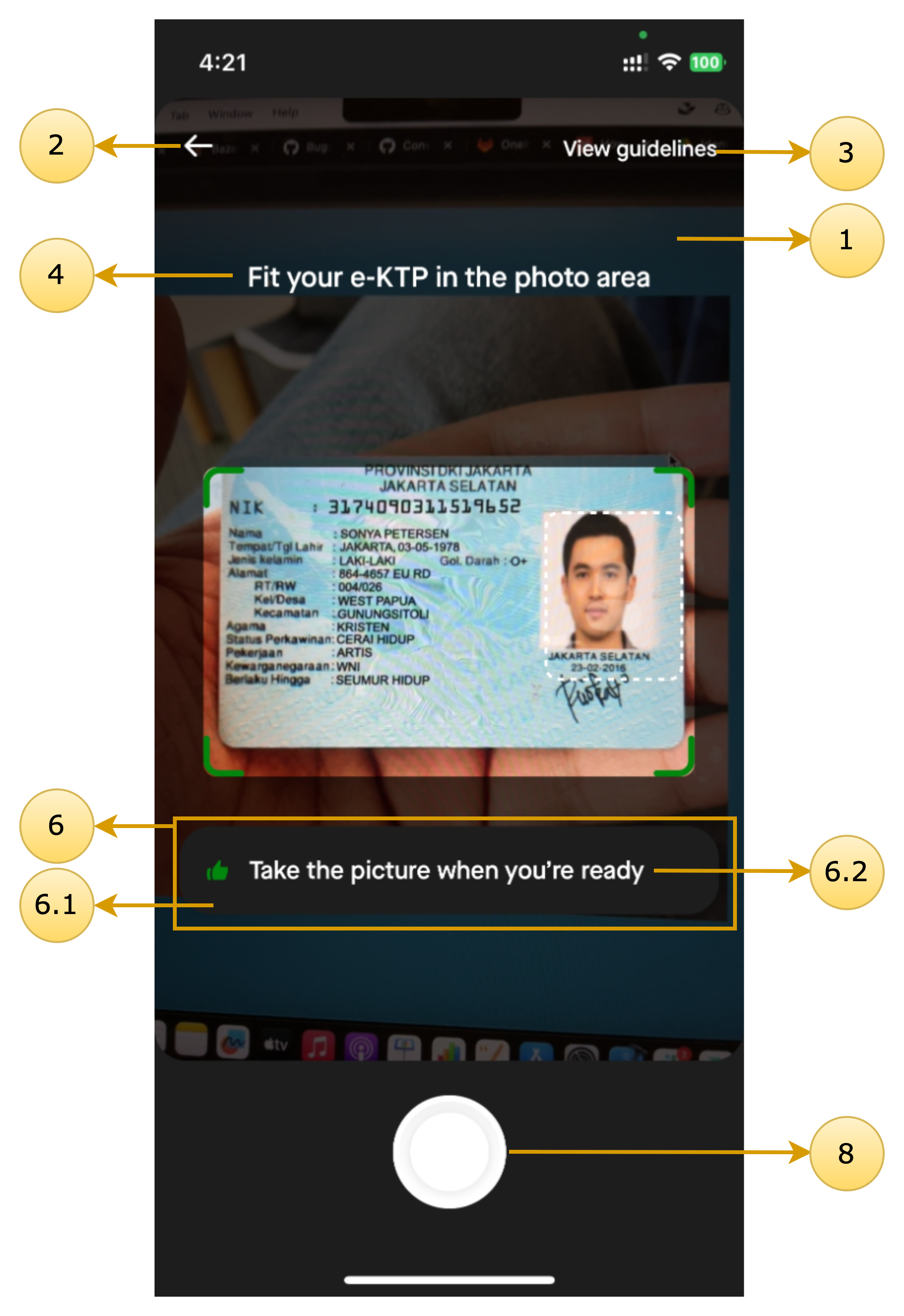
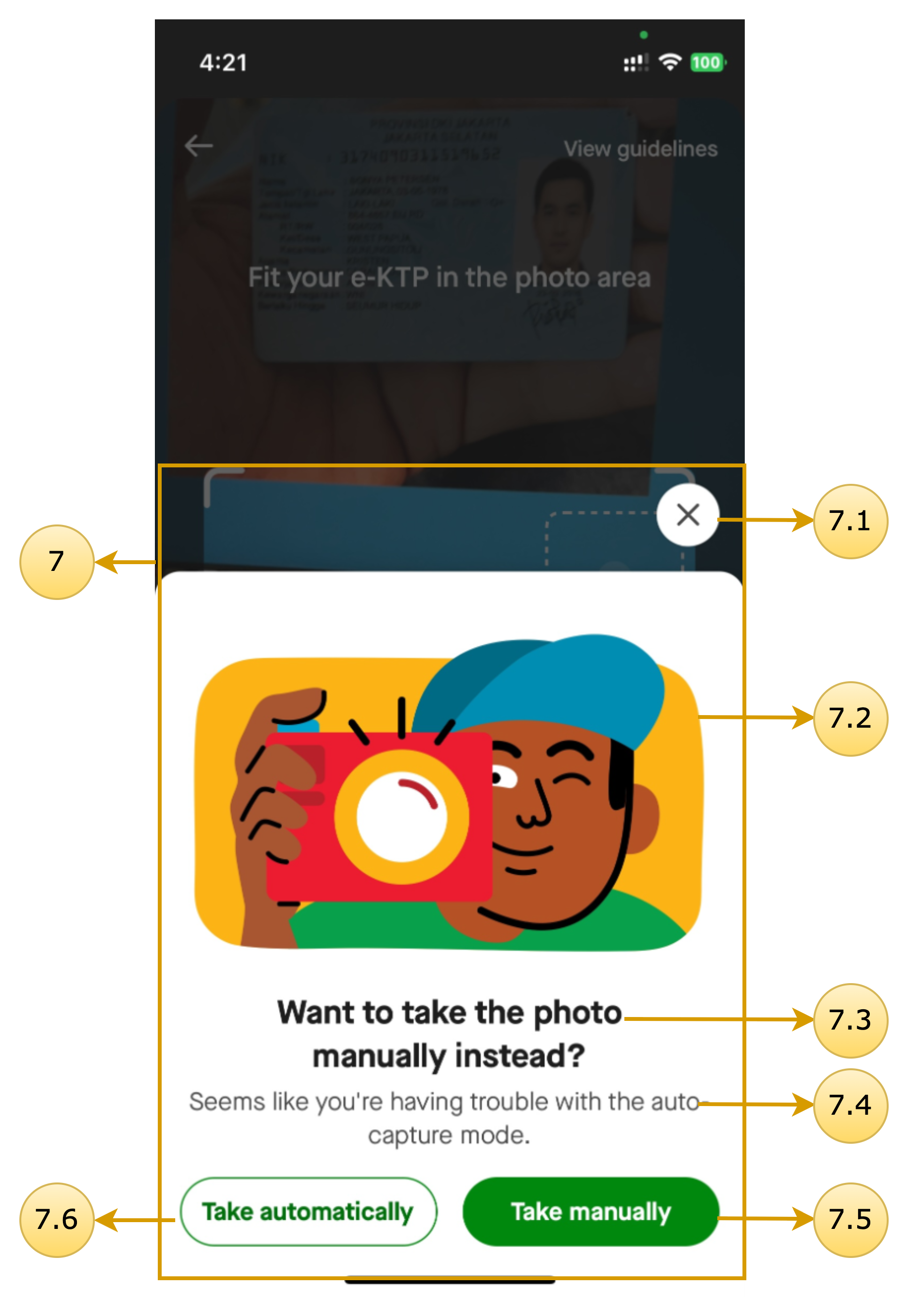
KTP Camera
Class name: DigitalIdentityKTPCameraScreenTheme
| Screen Annotations | Mapped Properties |
|---|---|
  |
|
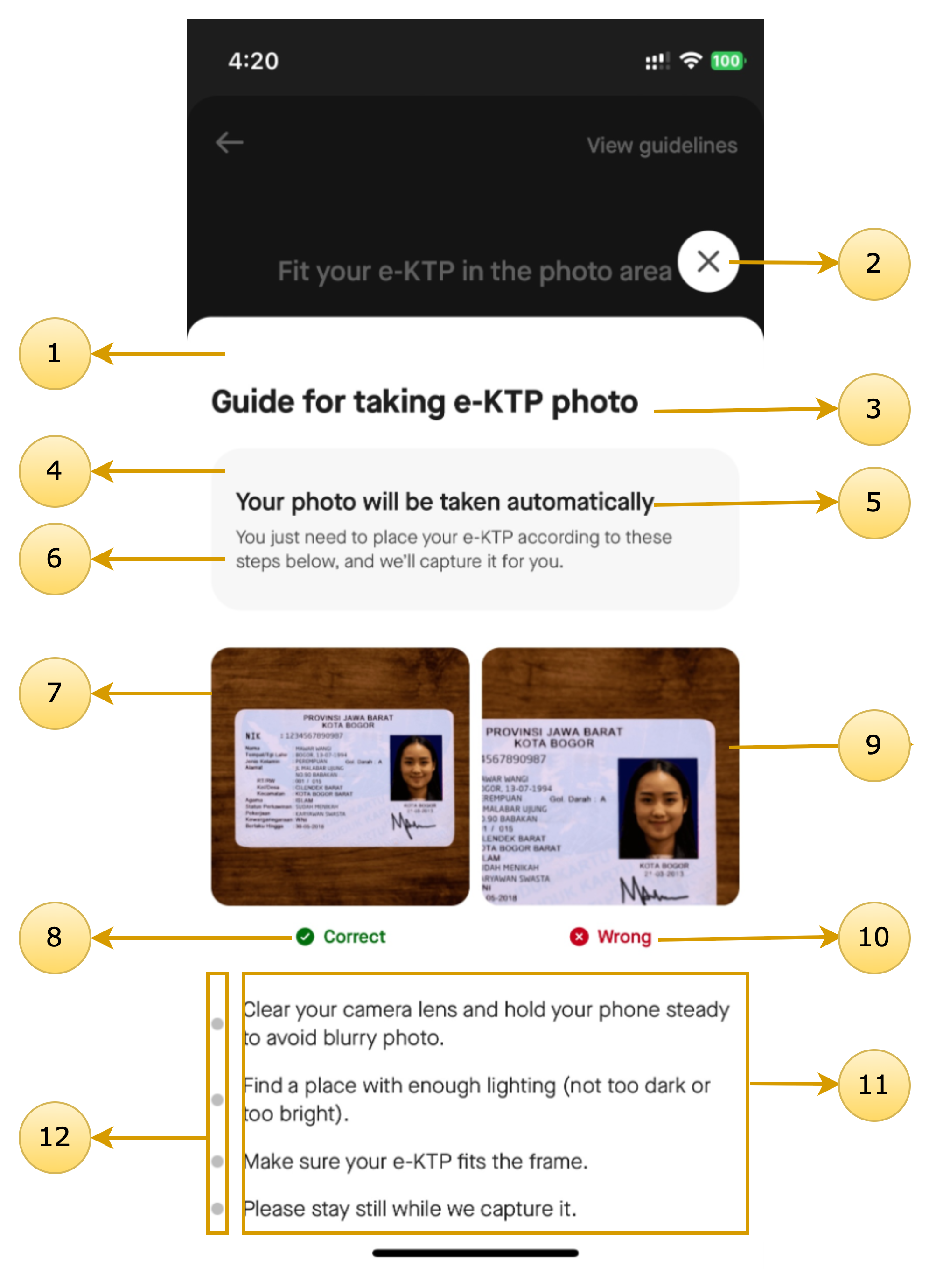
KTP Guideline
Class name: DigitalIdentityGuidelineScreenTheme
| Screen Annotations | Mapped Properties |
|---|---|
 |
|
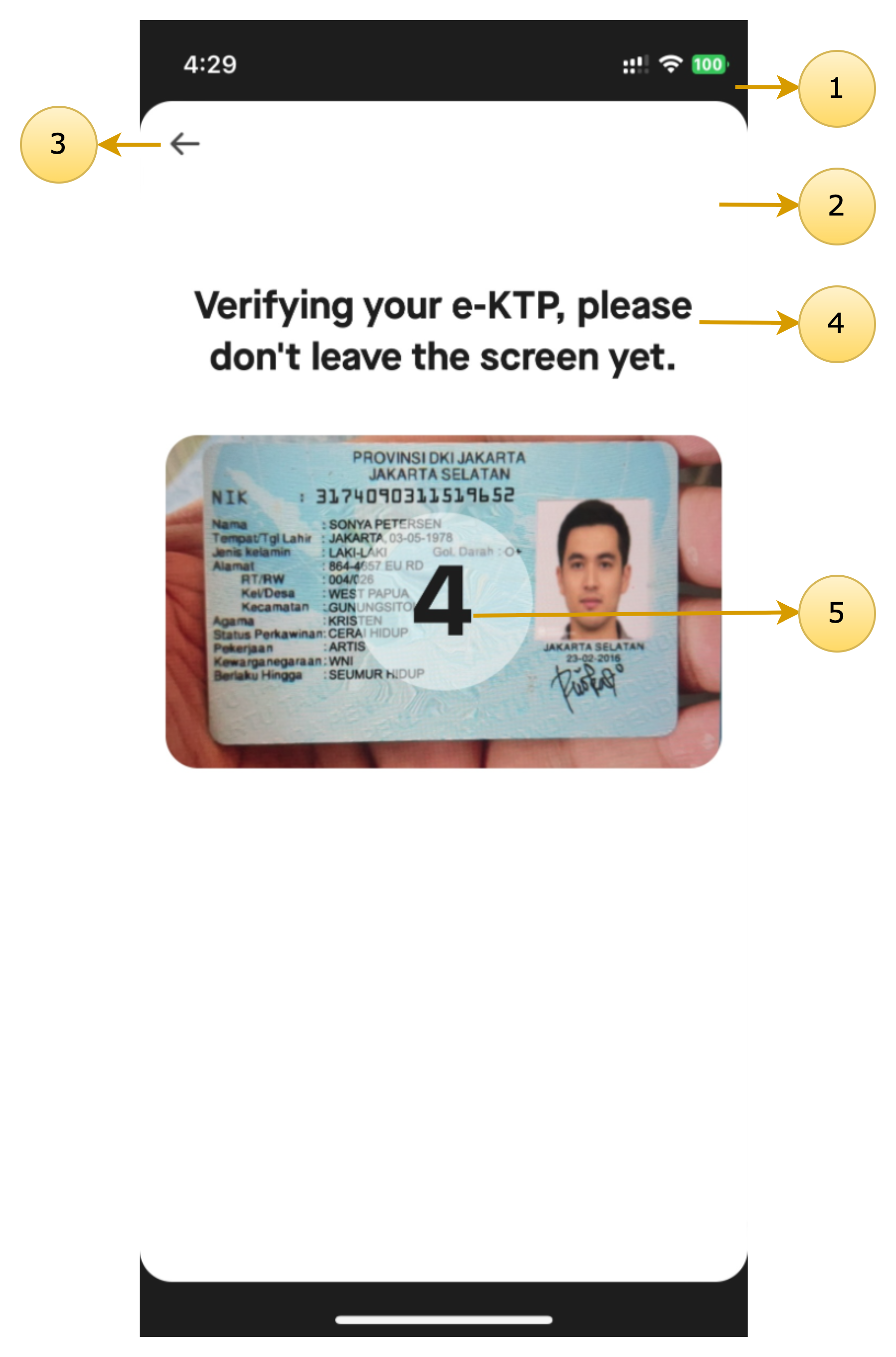
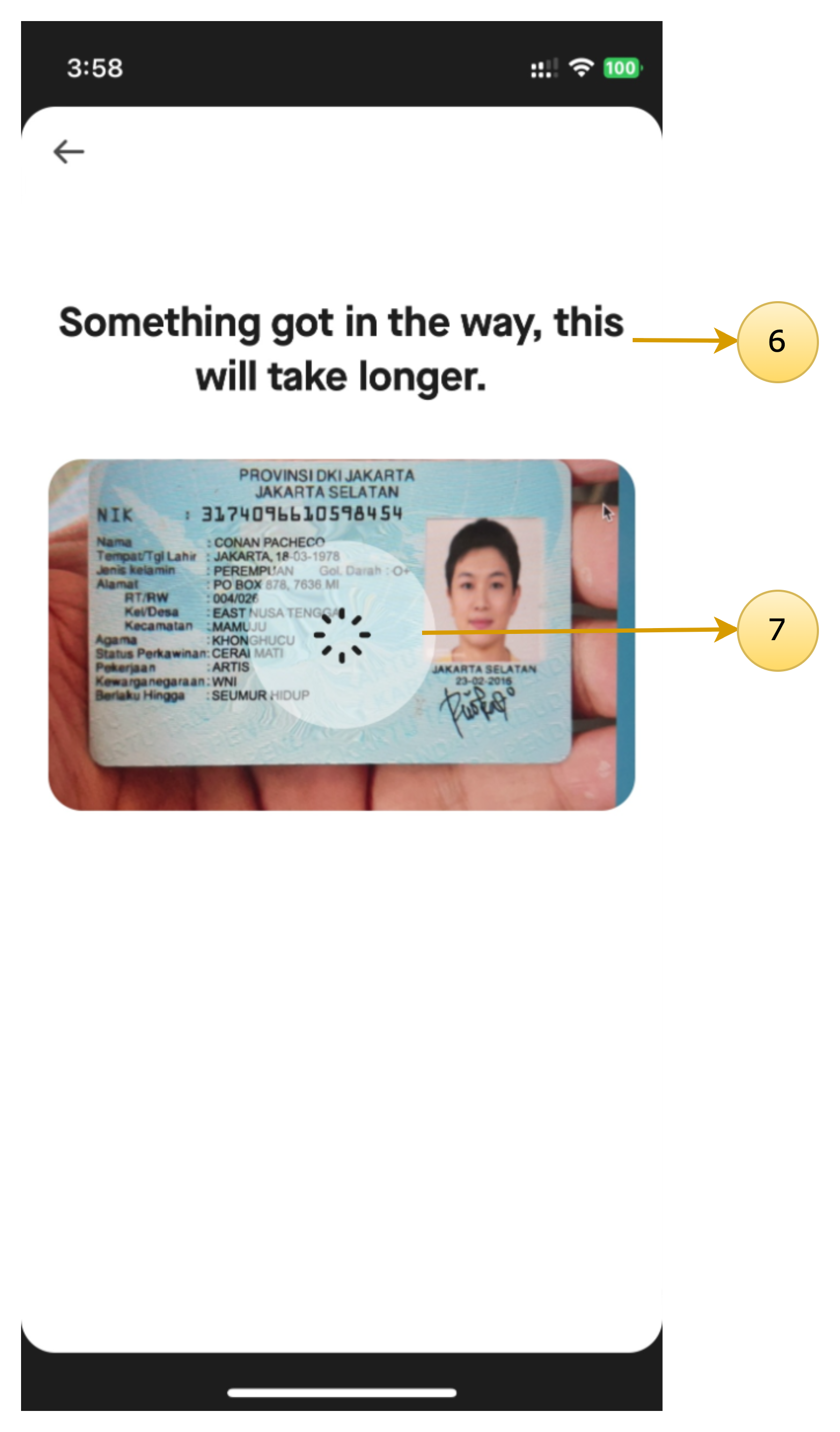
KTP Verification & KTP Verification Time Exceed
Class name: DigitalIdentityDocumentVerificationScreenTheme
| Screen Annotations | Mapped Properties |
|---|---|
  |
|
Common Dialogs
Updated 7 months ago
Documentations
Did this page help you?