
KTP Scan
Flow Version - v1.2
Setup Sdk
Launch Flow
Future<bool> launchKTPScan({
  required DigitalIdentityKTPScanConfig config,
  required DigitalIdentityHelpCenter helpCenter,
  required Function(DocumentVerificationResult)? resultCallback,
}) async { }
Properties:
- Config (DigitalIdentitySelfieLivenessConfig)**: This class contains the required configuration to launch
the KTP Scan verification flow using the DigitalIdentity SDK. that contains the following
information:- baseUrl: This is the server URL specific to the partner using the format https://<domain>.
Example: https://onekyc.ky.id.sandbox.gopayapi.com/ - token: The unique token for Digital Identity KYC, provided by the user token API for the
specific partner. - correlationId: A unique identifier used to track and correlate events throughout the KTP Scan flow. It helps in debugging, logging, and monitoring user sessions.
- language: The language setting of the KYC SDK, defined by the UserLanguage type, which
controls localization and translations during the Kyc Verification flow. - theme: The theme parameter is optional, and its default value is null. If not provided, the SDK
uses the default theme.
The theme parameter is an instance of the DigitalIdentityKTPScanFlowTheme class. It allows you
to customize the look and feel of the KYC flow screens. By providing a custom theme, you can
modify various UI elements, such as colors, fonts, and styles, to match your application's
branding requirements.
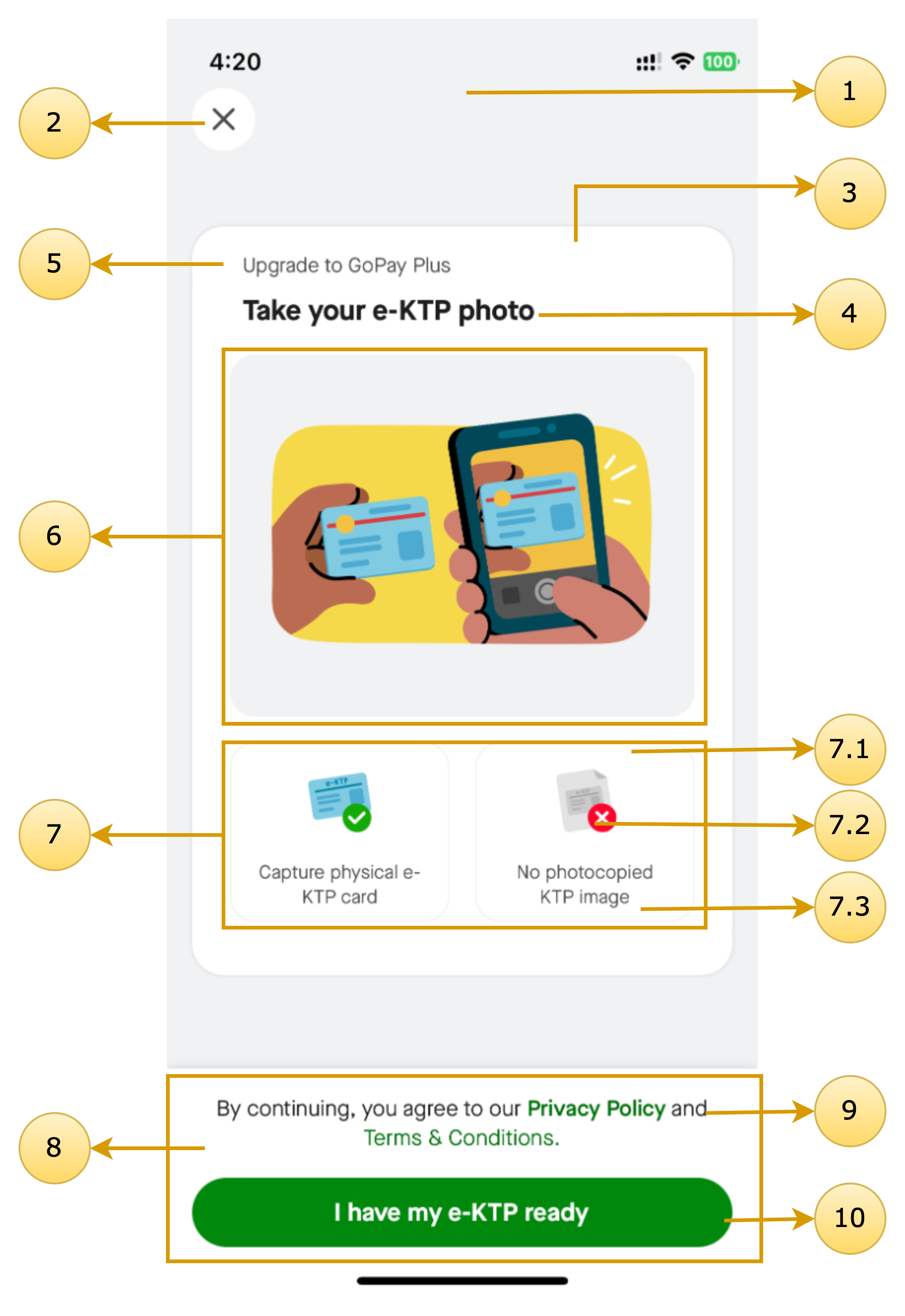
Here's what each property represents:- onboarding (DigitalIdentityOnboardingScreenTheme?): Defines the theme for the
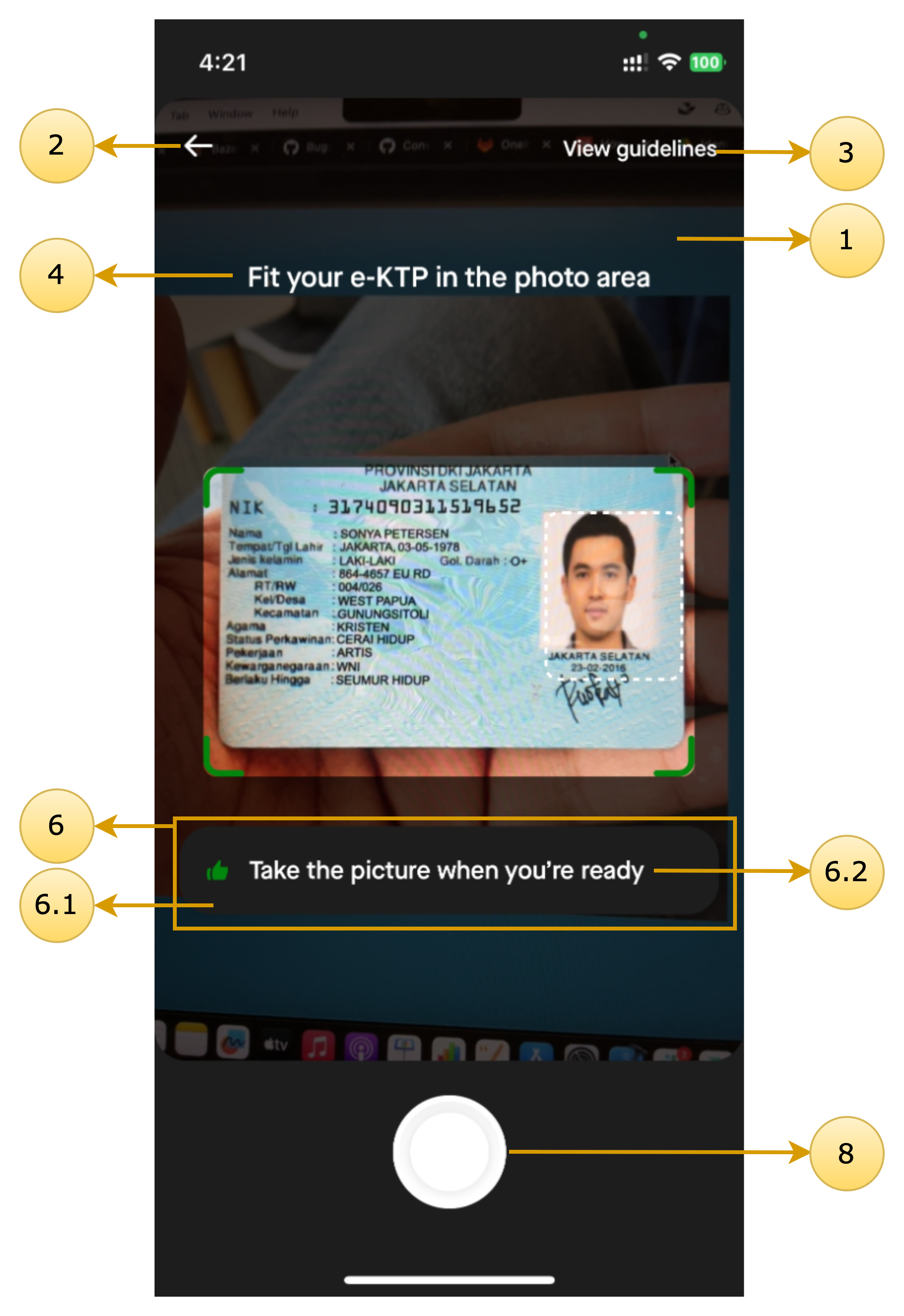
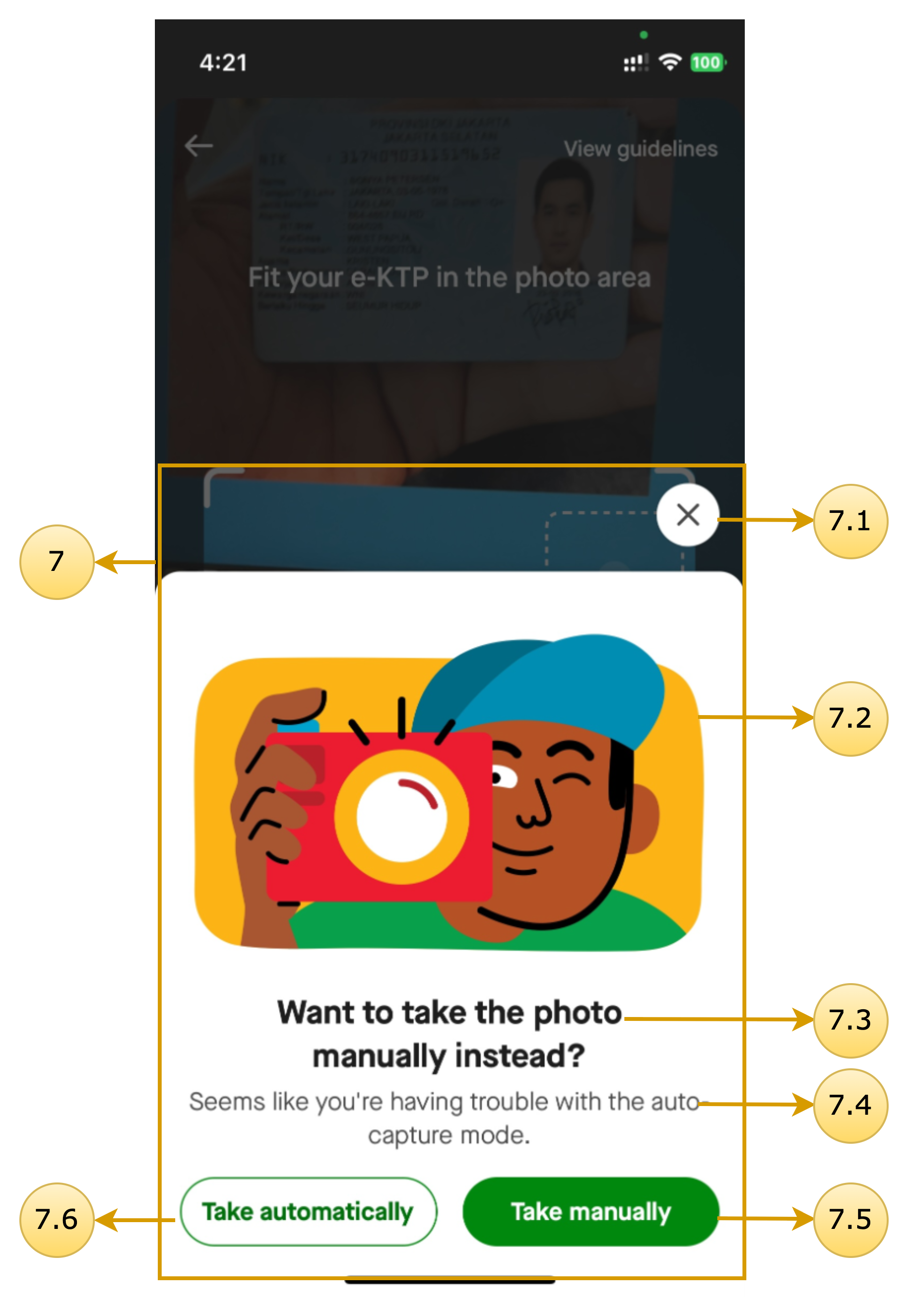
KTP Scan onboarding screen. - camera (DigitalIdentityKTPCameraScreenTheme?): Defines the theme for the KTP
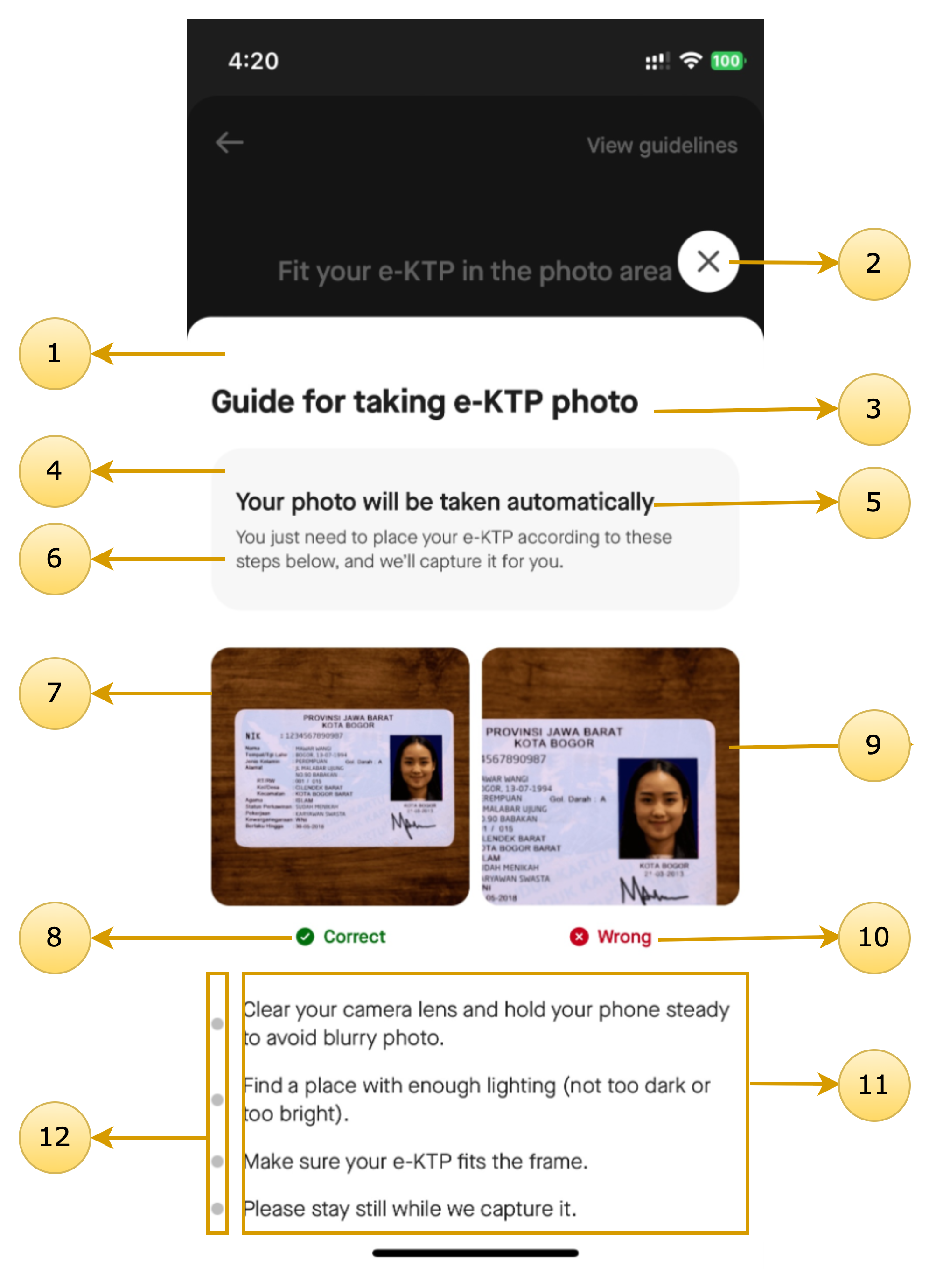
camera screen, where users take their KTP for scan. - guideline (DigitalIdentityGuidelineScreenTheme?): Controls the theme for the KTP
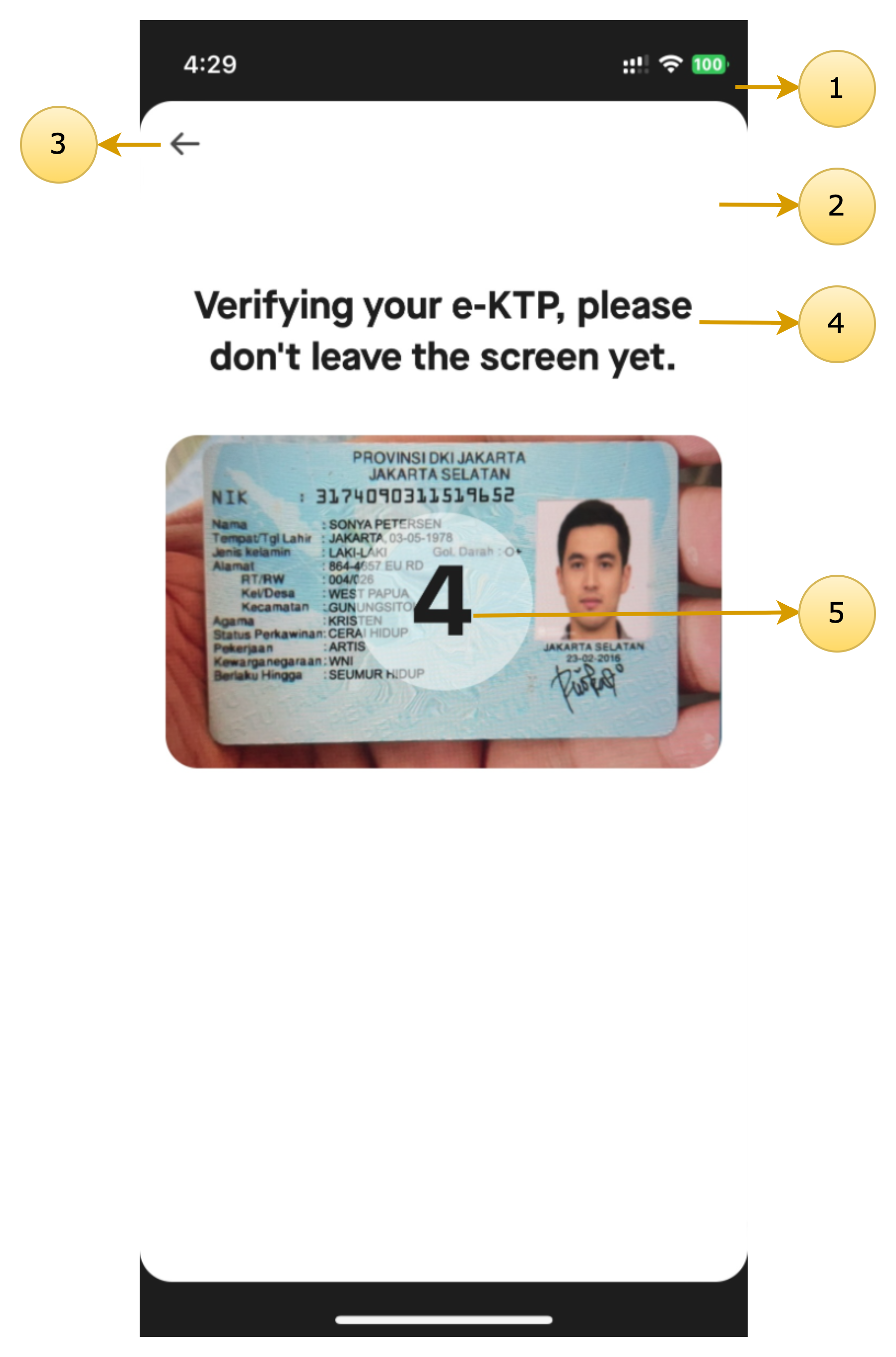
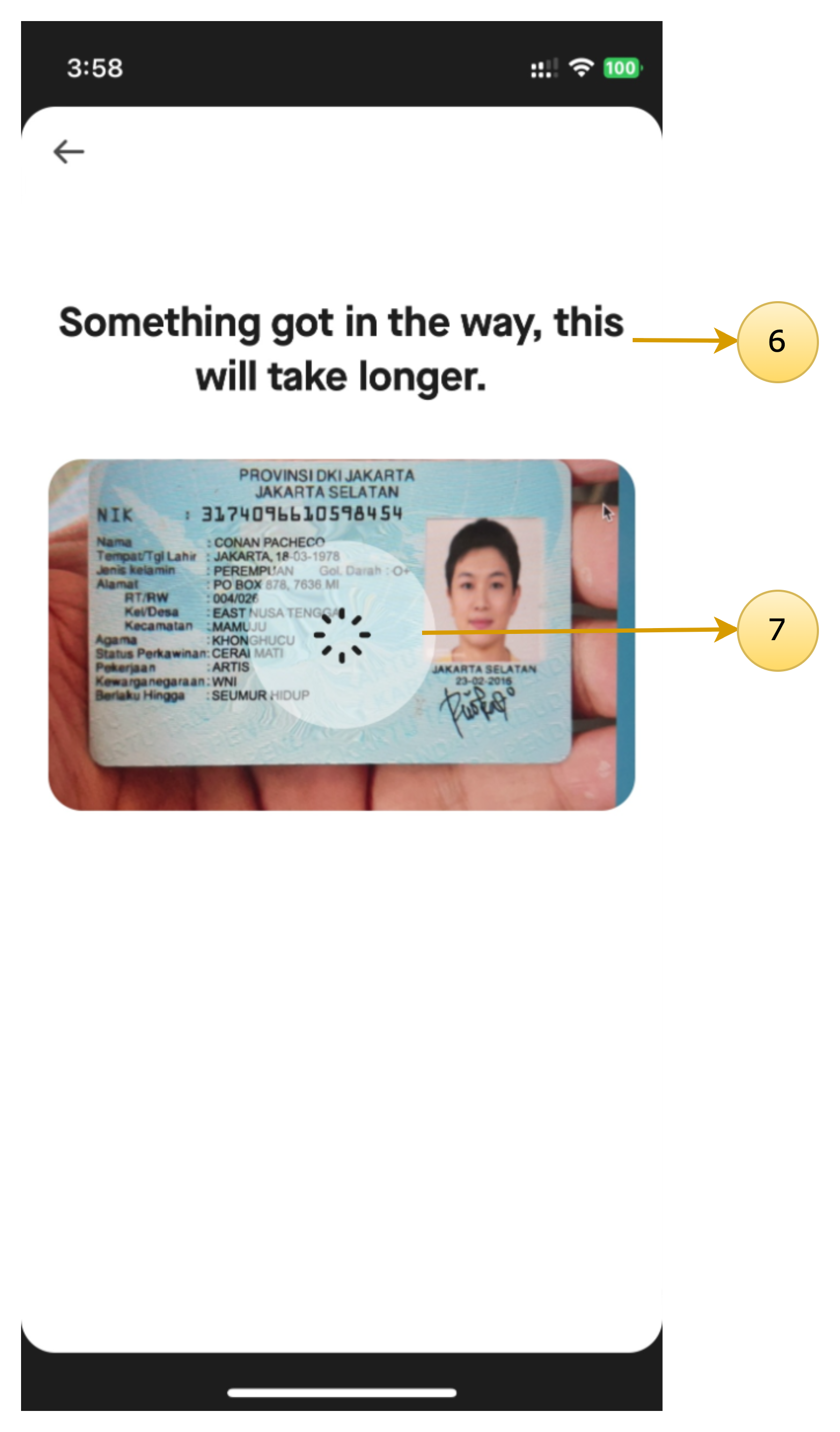
guideline screen, which provides instructions on taking a proper KTP. - verification (DigitalIdentityDocumentVerificationScreenTheme?): Manages the theme
for the verification screen, where users see the status of their selfie verification. - commonDialog (DigitalIdentityCommonDialogTheme?): Handles the theme for Error /
Informative dialogs used throughout the KTP Scan process.
- onboarding (DigitalIdentityOnboardingScreenTheme?): Defines the theme for the
- baseUrl: This is the server URL specific to the partner using the format https://<domain>.
- helpCenter: [Optional] Interface for help center option-related actions. Refer to the Help Center section for more details.
- resultCallback: A redirect link that the SDK uses to notify about the status of the KYC submission
when it succeeds.- correlationId: A unique identifier for tracking the document verification request.
- submissionId (String): The submission ID assigned if the document verification is successful.
- status (DocumentVerificationResultStatus): Enum that depicts if any user completed the flow
or dropped out in between. It has the following values:- COMPLETED
- ERROR
- NOT_COMPLETED
- extras (DigitalIdentityExtraData): This class contains error-related information for failed
document verification attempts that contains the following information:- errorCode (DigitalIdentityFlowErrorCode?): Represents the type of error encountered
in the kyc verification flow- CAMERA: Error related to the camera.
- PERMISSION: Error due to permission issues.
- NETWORK: Network-related error.
- USER_CANCELLED: The user canceled the KYC flow.
- VERIFICATION: When Document verification has errors.
- MLMODEL_DOWNLOAD: When user dropped from ML download failure error
dialog.
- detailedErrorCode (String?): String depicting detailed information regarding the error
(could be used to log and analyse) - errorMessage (String?): String depicting detailed information regarding the error
(could be used to log and analyse)
- errorCode (DigitalIdentityFlowErrorCode?): Represents the type of error encountered
Theming Reference
The following screens can be customized using the SDK’s theming system.
KTP Onboarding
Class name: DigitalIdentityOnboardingScreenTheme
| Screen Annotations | Mapped Properties |
|---|---|
 |
|
KTP Camera
Class name: DigitalIdentityKTPCameraScreenTheme
| Screen Annotations | Mapped Properties |
|---|---|
  |
|
KTP Guideline
Class name: DigitalIdentityGuidelineScreenTheme
| Screen Annotations | Mapped Properties |
|---|---|
 |
|
KTP Verification & KTP Verification Time Exceed
Class name: DigitalIdentityDocumentVerificationScreenTheme
| Screen Annotations | Mapped Properties |
|---|---|
  |
|
Common Dialogs
Updated 7 months ago
Documentations
Did this page help you?