
Identity Verification
Flow Version - v1.2
Setup Sdk
Launch Flow
let config = DigitalIdentityKYCVerificationConfig(
                                baseUrl: <DigitalIdentity BE Base Url>,
                                token: <DigitalIdentity Token>,
                                correlationId: <Coorrelation Id>,
                                language: <App Language>,
                                theme: <KYC Verification flowtheme>)

DigitalIdentitySdk.shared.launchKYCVerification(
                               config: config,
                               viewcontroller:<viewcontroller instance>,
                               helpCenter: DigitalIdentityHelpCenterDelegate)
{ result in

}
Method name: launchKYCVerification
launchKYCVerificationParameters:
- config: Instance of
DigitalIdentityKYCVerificationConfig- baseUrl: DigitalIdentity BE url received from the DigitalIdentity team
- token: DigitalIdentity token received from the DigitalIdentity authentication API
- correlationId: Unique identifier for the KYC Verification flow.
- language: App language.
- theme: The
DigitalIdentityKYCVerificationFlowThemeclass is an optional parameter that can be used to customize the theme of the KYC Verification flow screens. Theme customization values can be passed as an instance of this class to modify the KYC Verification flow screens. More information on theme customization can be found in the theme customization section.
- viewcontroller: View controller instance to present the KYC Verification flow-related screens
- helpCenter: An instance of a class that conforms to
DigitalIdentityHelpCenterDelegatedelegate. Help center option-related actions will be triggered via this delegate. Refer to this section for more details. - completion: KYC Verification flow completion status block. In completion we will get instance of the
DigitalIdentityDocumentVerificationResultclass. It has following properties- correlationId: Correlation Id value which passed in the
launchKYCVerificationmethod call. - status: KYC Verification flow completion status. Its
DigitalIdentityDocumentVerificationResultStatusenum type and has following values- completed: KYC Verification is done
- error: Error in KYC Verification
- notCompleted: User dropped from KYC Verification flow screens
- submissionId: Optional value. Reference number for KYC Verification documents. We will get this value when user made the submission
- extra: Optional value and type of DigitalIdentityResultExtraData class. Sdk will send this property when the user drops from the flow. It has the following properties
- errorCode: It's a DigitalIdentityFlowErrorCode enum type and it has following values
- CAMERA - User dropped the flow from the camera error bottom sheet
- PERMISSION - User denied camera permission
- NETWORK - User dropped the flow from the api error bottom sheet
- USER_CANCELLED - User dismissed the flow
- errorMessage: More details about the error
- errorCode: It's a DigitalIdentityFlowErrorCode enum type and it has following values
- correlationId: Correlation Id value which passed in the
Theming Reference
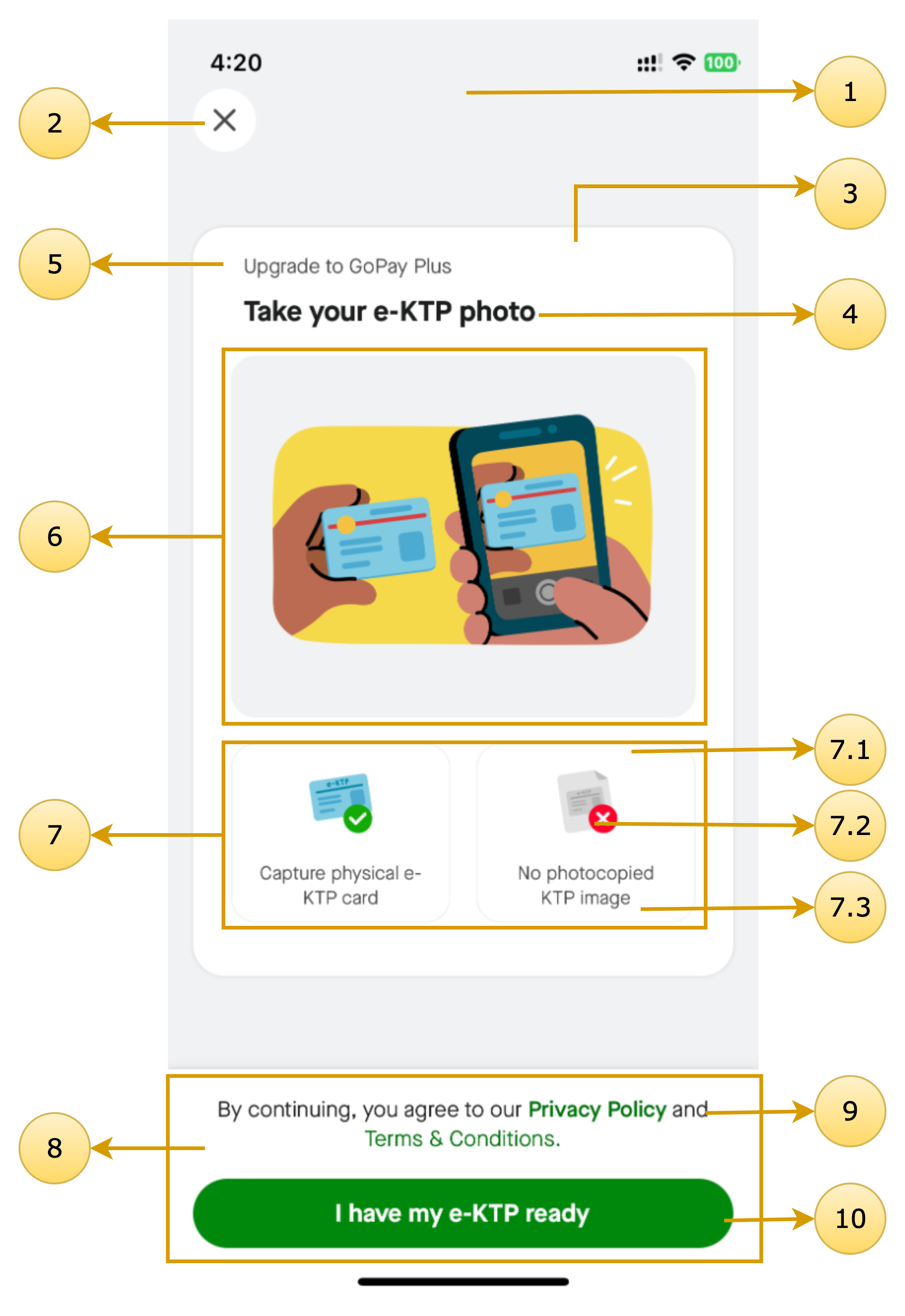
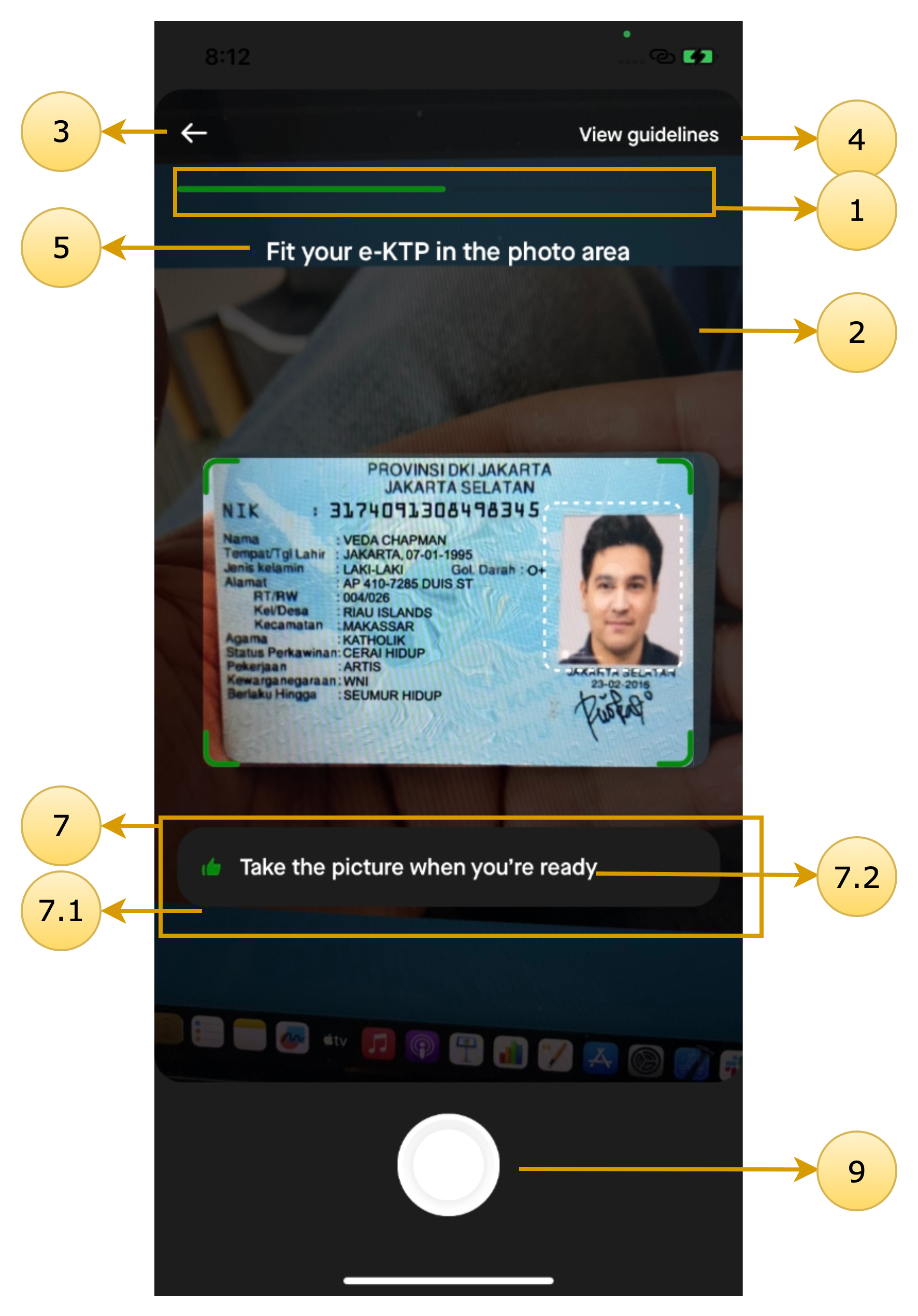
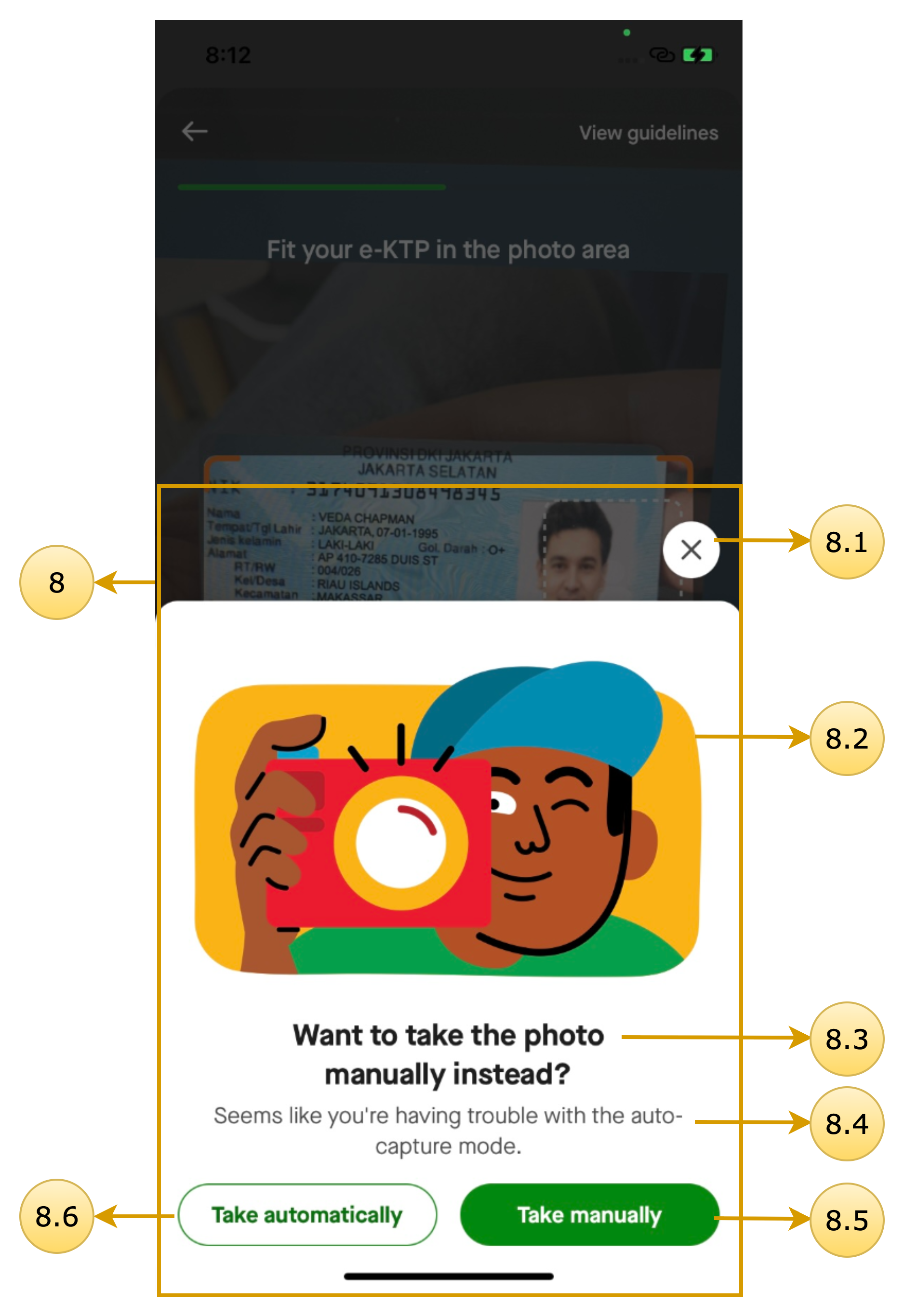
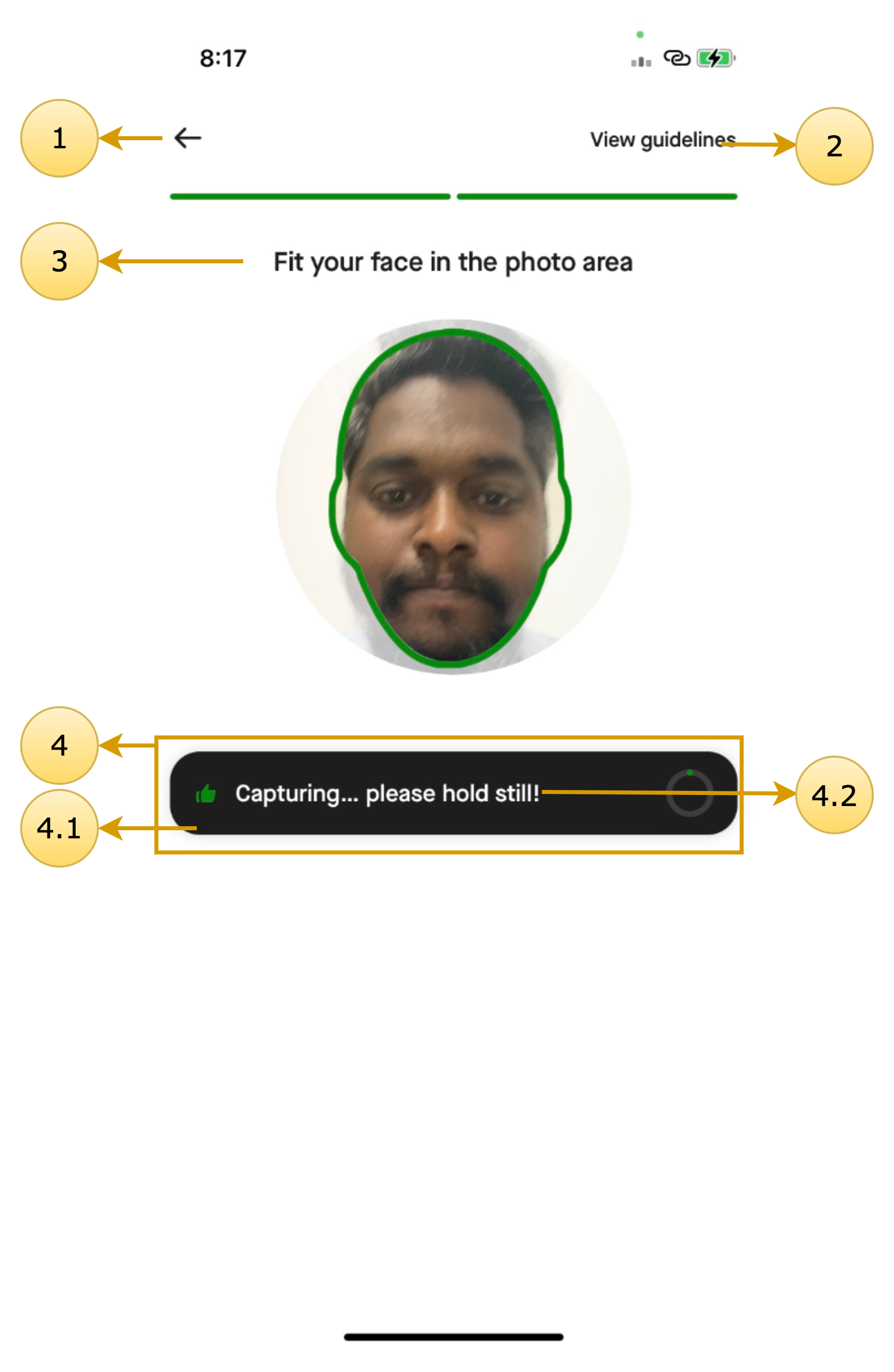
The following screens can be customized using the SDK’s theming system.
KYC Onboarding
Class name: DigitalIdentityOnboardingScreenTheme
| Screen Annotations | Mapped Properties |
|---|---|
 |
|
KTP Camera
Class name: DigitalIdentityCameraScreenTheme
| Screen Annotations | Mapped Properties |
|---|---|
  |
|
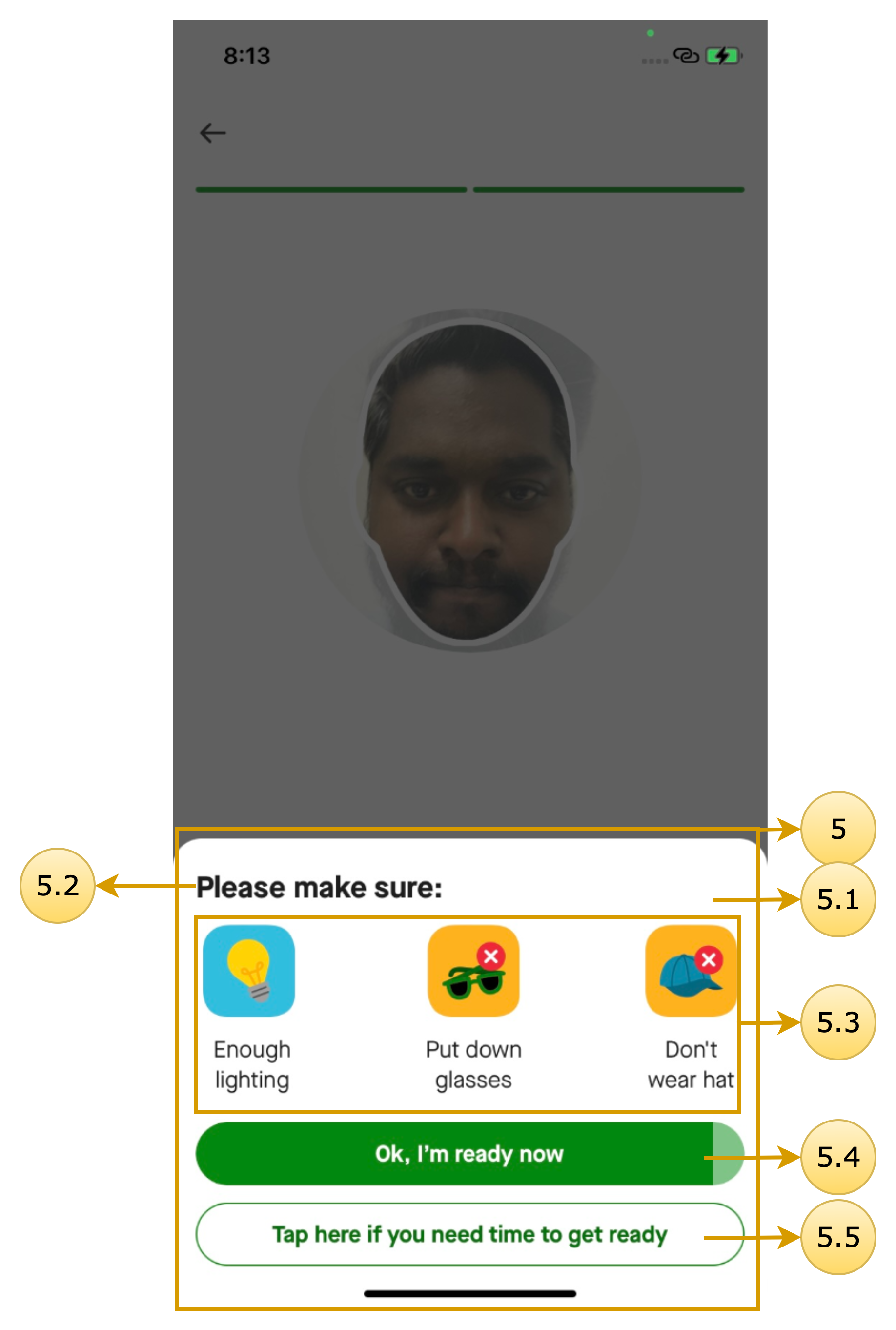
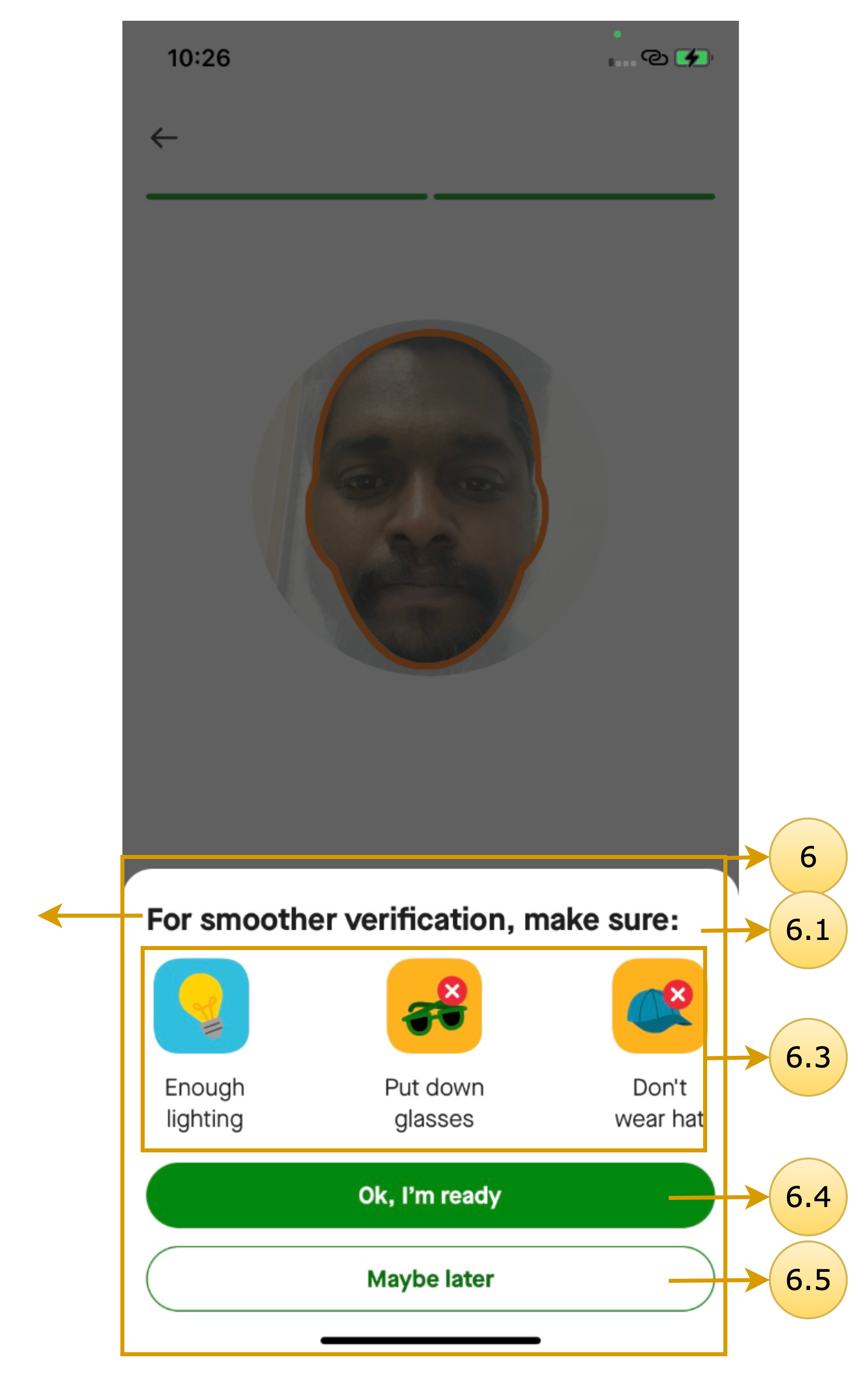
Selfie Camera
Class name: DigitalIdentityCameraScreenTheme
| Screen Annotations | Mapped Properties |
|---|---|
   |
|
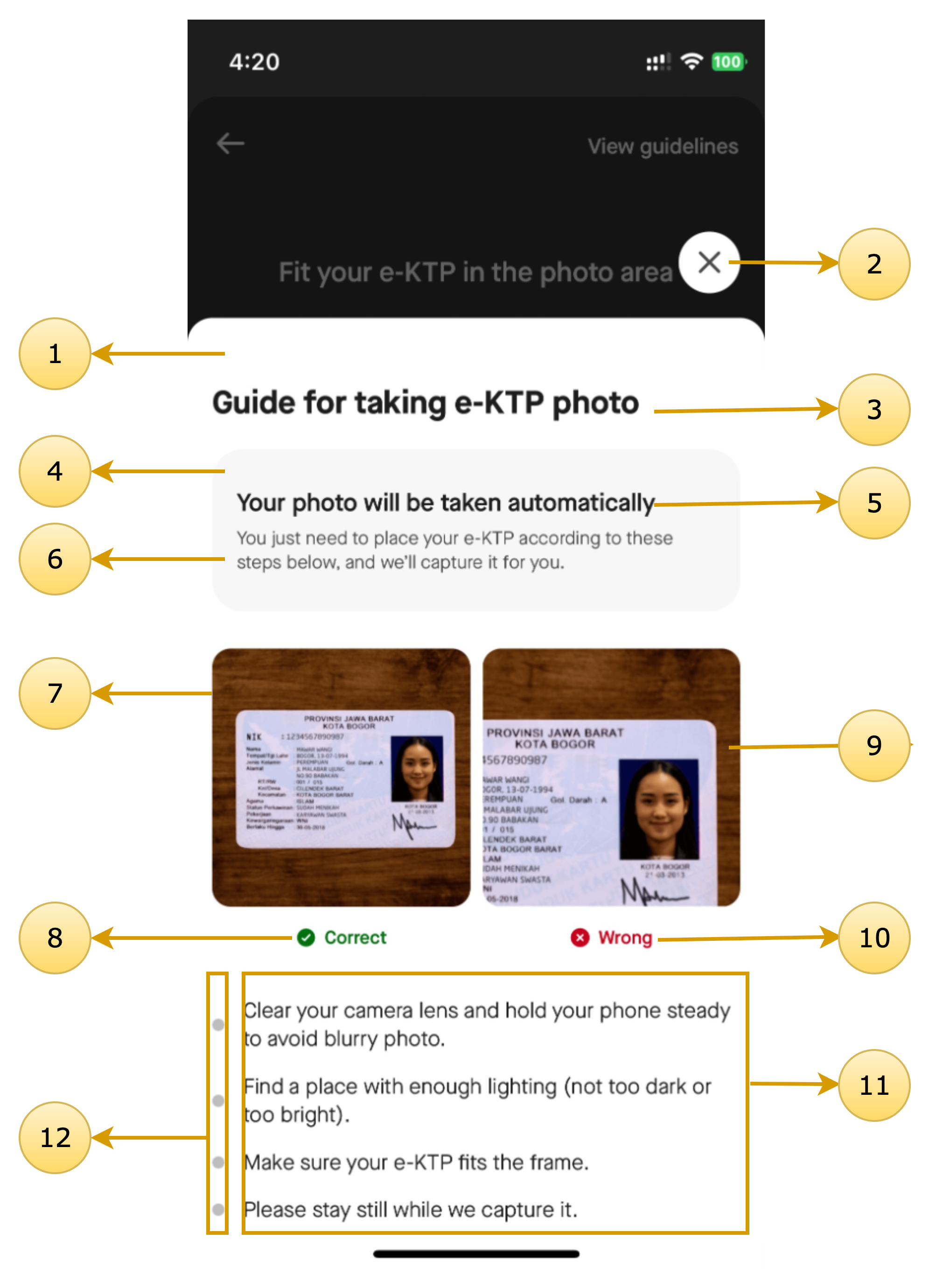
KTP Guideline
Class name: DigitalIdentityGuidelineScreenTheme
| Screen Annotations | Mapped Properties |
|---|---|
 |
|
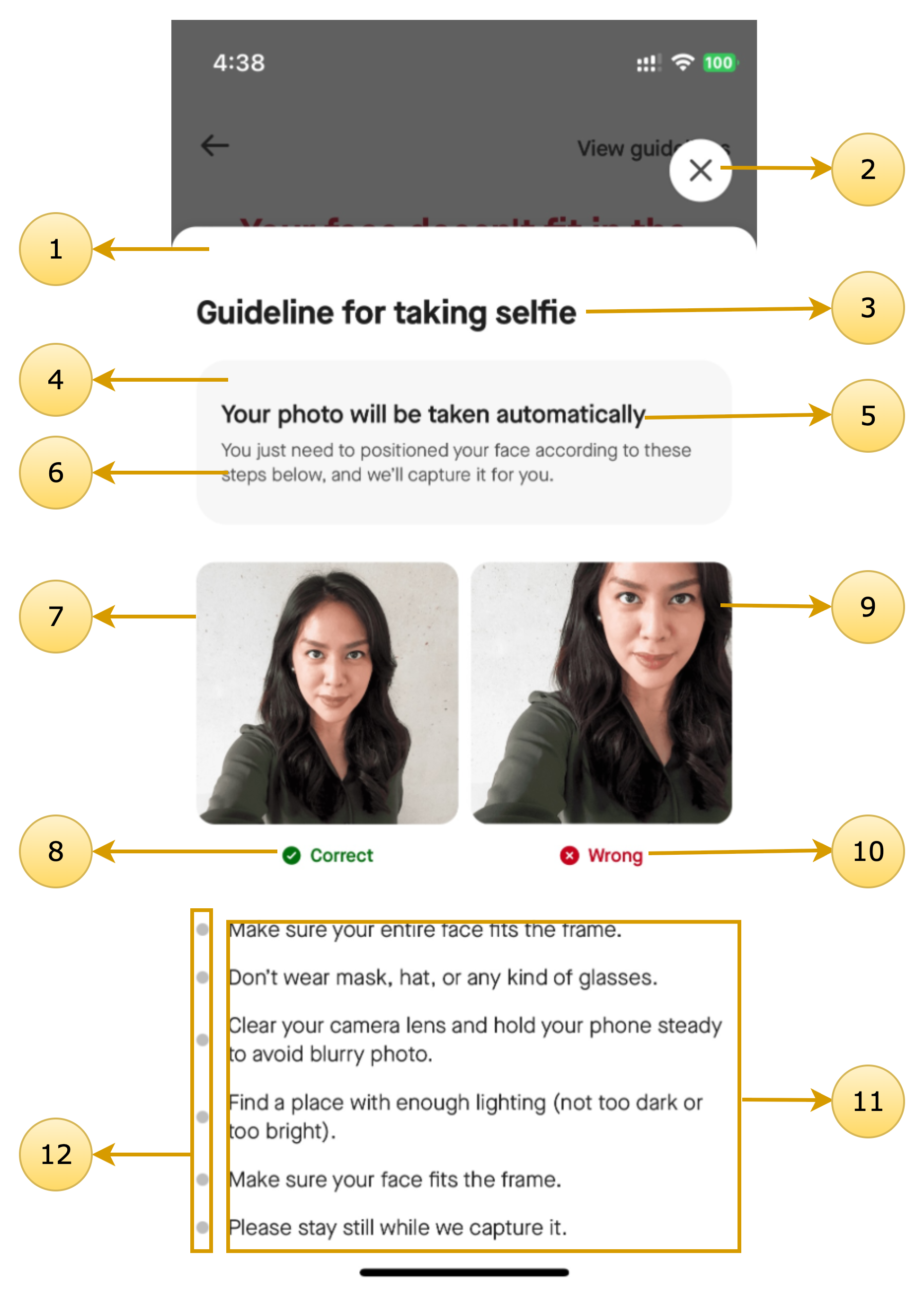
Selfie Guideline
Class name: DigitalIdentityGuidelineScreenTheme
| Screen Annotations | Mapped Properties |
|---|---|
 |
|
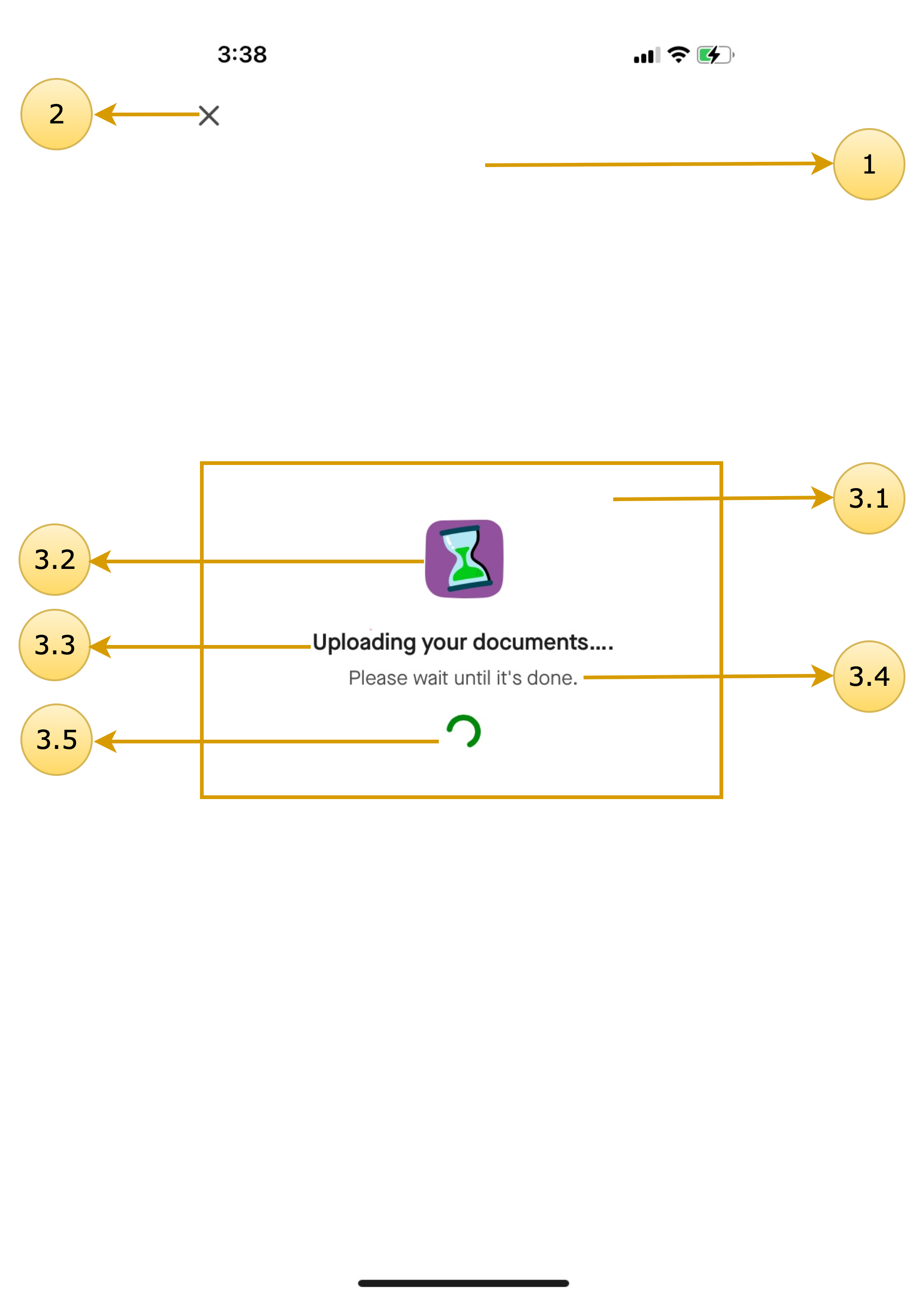
Document Uploading & Document Upload Failure
Class name: DigitalIdentityDocumentUploadStatusScreenTheme
| Screen Annotations | Mapped Properties |
|---|---|
 |
|
Common Dialogs
Updated 7 months ago
Documentations
Did this page help you?