
This guide describes how to generate the Mini App Deeplink for testing purposes.
NoteTo preview and test your MiniApp, QR codes are currently available.
Please refer to this documentation for more details.
-
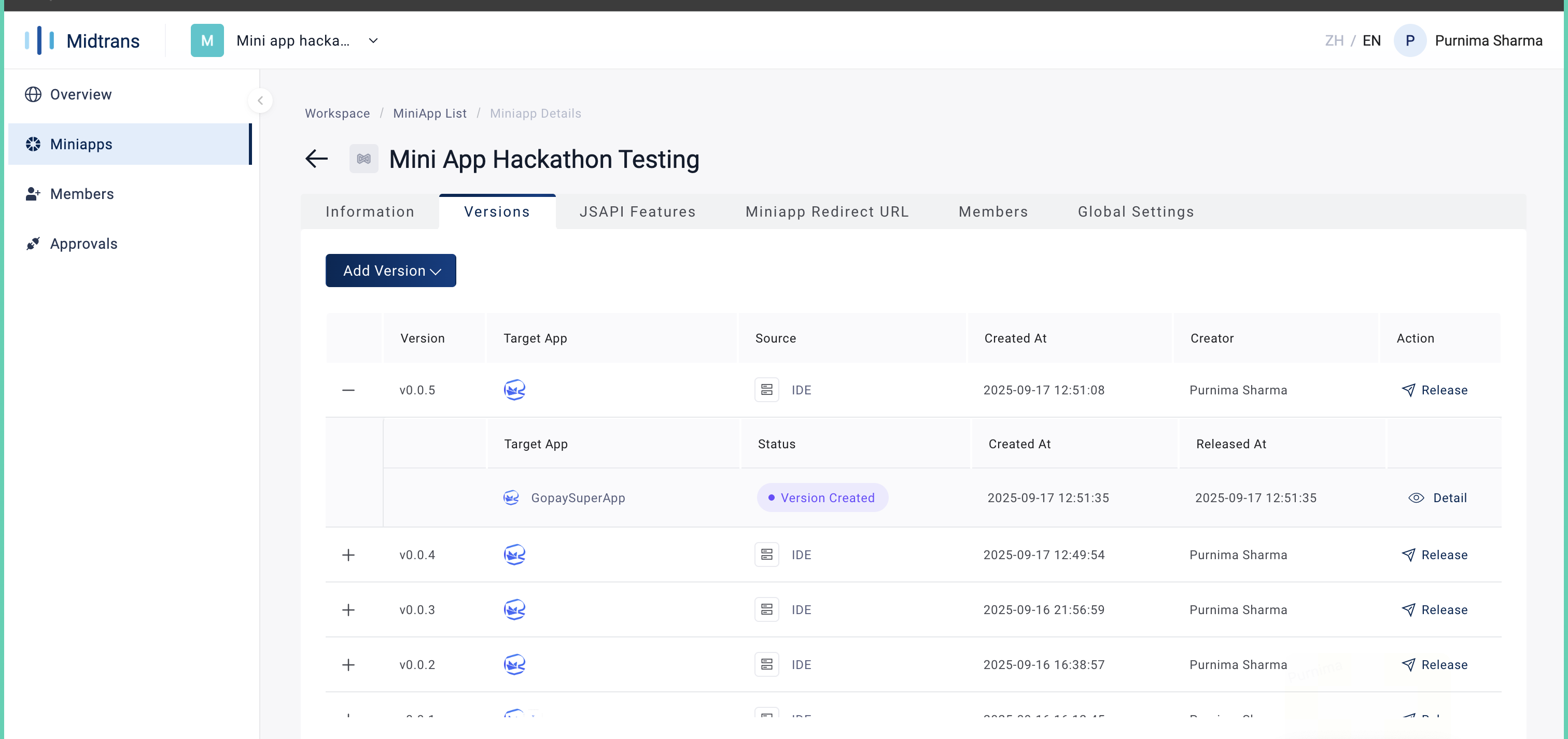
Login to GoPay MiniApp Portal, Click your MiniApp, Open the Versions tab, and click "Release"
-
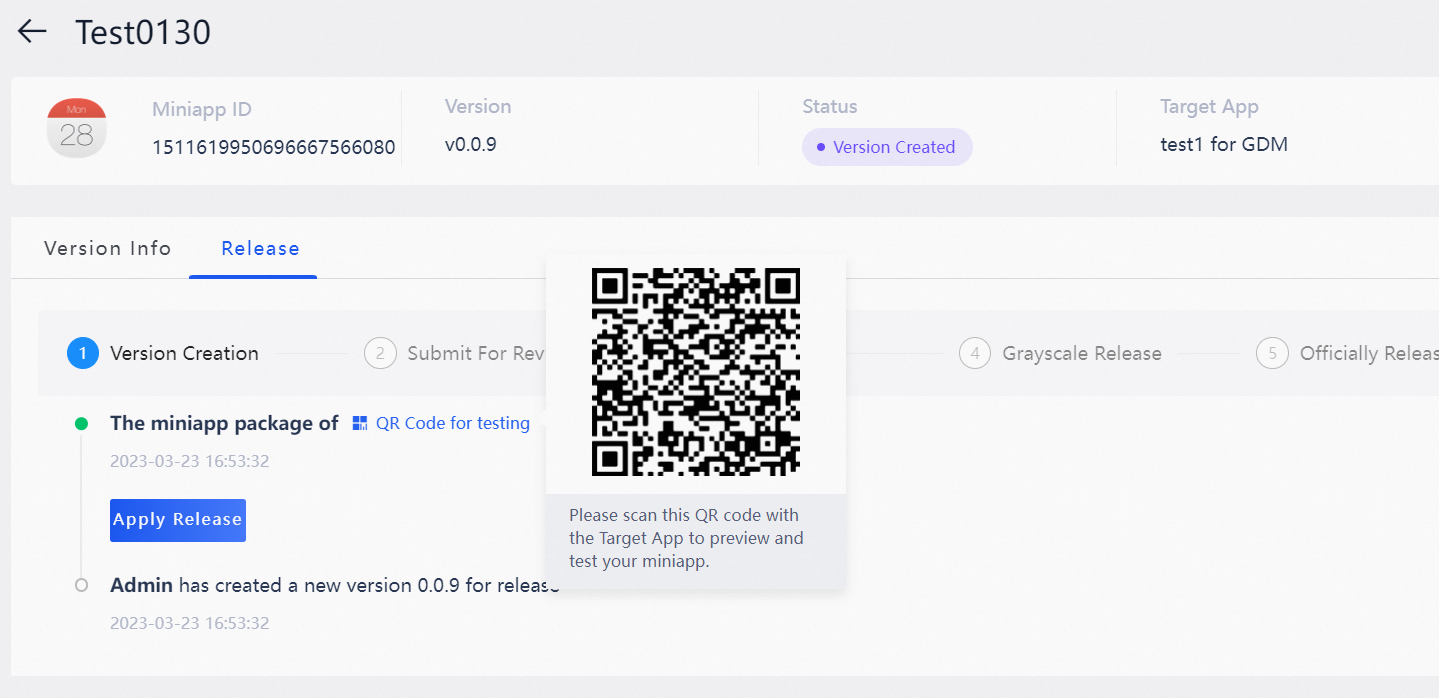
In the Release tab, Click the QR Code for testing button, a QR code will appear.
-
Scan the QR code and note the redirect URL. (QR will not work)
-
Use the noted values to generate the deeplink using the template below:
gopay://mini-app/windvane?app_id=<appId>&publish_id=<publishId>
Common mistakes:
- Scanning the QR code only opens a page with extra information.
- Ignore that page: instead, copy the URL link directly.
- The useful values are in the URL. Copy appid and publishid to construct the deeplink.